How to Download Bare Bones Texture Pack for Minecraft (Guide 2026)
 mcpecentraladmin
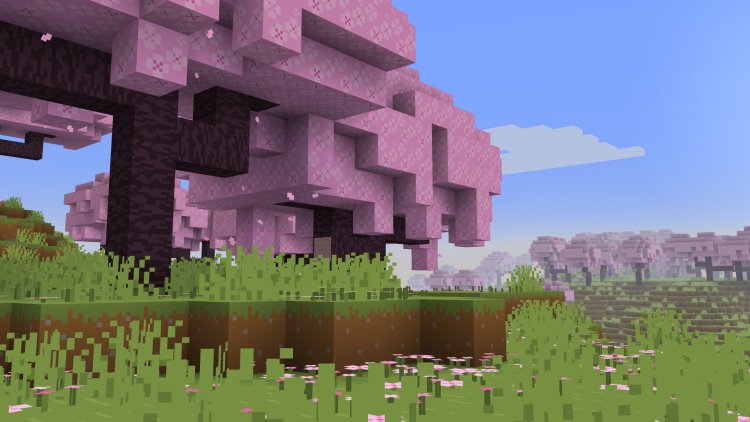
If you’ve been searching for a bright, smooth, and cartoon-style resource pack to make Minecraft look like its trailer animations, you’ll love the Bare Bones Texture Pack. In this guide, we’ll explain how to download Bare Bones for Minecraft and install it correctly for your version — from finding the pack to loading it in-game.
This tutorial works for Minecraft Java Edition and is beginner-friendly. It also includes keywords for people looking for Minecraft texture packs, Bare Bones installation, resource pack setup, and Minecraft modding.
⭐ What Is the Bare Bones Texture Pack?
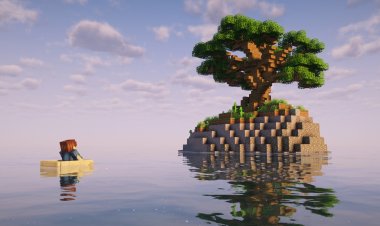
The Bare Bones Texture Pack for Minecraft is a simplified, vibrant, and smooth art style texture pack designed to mimic Minecraft’s promotional trailers. It removes unnecessary details and replaces them with bright colors and clean surfaces. This makes gameplay more visually appealing while keeping performance lightweight — perfect for low-end PCs, performance optimization, and FPS boosting.
How to Download & Install Bare Bones Texture Pack
Follow these steps:
Step 1 — Download Bare Bones Texture Pack

First, download Bare Bones for the Minecraft version you want to play:
???? Bare Bones Texture Pack Download:
https://modrinth.com/resourcepack/bare-bones
Make sure you select the correct version (e.g. 1.21, 1.20.6, etc.) for a clean installation.
Step 2 — Locate Your Minecraft Installation Folder

Open the official Minecraft Launcher and go to the top menu.
-
Click “Installations”
-
Find the version you want to use
-
Open its installation folder
This is the folder where Minecraft stores configuration, mods, and texture packs.
Step 3 — Drag the Texture Pack Into the Resource Packs Folder


Inside the folder, look for:
resourcepack
Drag and drop the Bare Bones Texture Pack file you downloaded into this folder.
This is the standard method for installing resource packs for Minecraft Java Edition.
Step 4 — Load Minecraft & Activate Bare Bones
Launch Minecraft and head into the main menu:
-
Click Options
-
Click Resource Packs
-
Select Bare Bones
-
Press Done
Your game will refresh and the Bare Bones Texture Pack should now be active — giving your world a brighter, smoother, and trailer-style look.
Why Players Love Bare Bones
Players choose Bare Bones because:
✔ Smooth & clean visuals
✔ Better visibility for PvP
✔ Lightweight performance
✔ Amazing for creative world showcases
✔ Trailer-style Minecraft appearance
If you're optimizing for visuals or making content for YouTube/TikTok, it’s one of the most popular Minecraft 2026 texture packs.
Final Thoughts
Downloading and installing the Bare Bones Texture Pack for Minecraft is easy and takes only a few minutes. Whether you're playing Survival, PvP, or building in Creative mode, it makes the game look modern, colorful, and cinematic without sacrificing FPS.
If you found this tutorial helpful, consider checking out more Minecraft texture packs, shaders, and mod installation guides!