Top 5 NO LAG Minecraft Shaders 26.3 (JAVA)
 mcpecentraladmin
Top 5 NO LAG Minecraft Shaders 26.3 (JAVA)
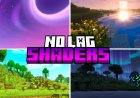
Looking for the best no lag Minecraft shaders for 26.3 Java Edition? If you have a low-end or mid-range PC, you may want a shader that improves Minecraft's graphics without destroying your FPS.
In this article, we are looking at 5 lightweight Minecraft shaders that focus on performance while still adding better lighting, shadows, reflections, colors, and atmosphere.
Our list includes Visual Vibrance, I Like Vanilla, Miniature Shader, MakeUp - Ultra Fast, and Vanilla Plus Shader.
Important: Shader performance depends on your GPU, CPU, resolution, render distance, Minecraft settings, and shader settings. No shader can guarantee zero lag on every PC. Also, not every shader below currently lists Minecraft 26.3 as a supported version on Modrinth, so check the compatibility section before downloading.
Top 5 No Lag Minecraft Shaders
| Rank | Shader | Best For | 26.3 Support |
|---|---|---|---|
| #5 | Vanilla Plus Shader | Vanilla+ graphics | No |
| #4 | MakeUp - Ultra Fast | Performance | No |
| #3 | Miniature Shader | Low-end PCs | Yes |
| #2 | I Like Vanilla | Vanilla-style graphics | Yes |
| #1 | Visual Vibrance | Vibrant Visuals-style graphics | No |
#5 Vanilla Plus Shader
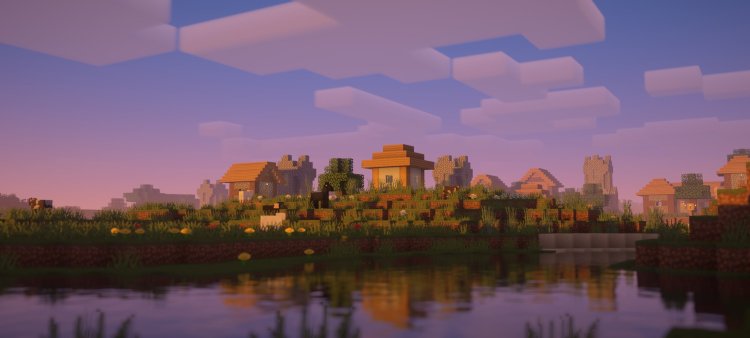
Vanilla Plus Shader is made for players who want better Minecraft graphics while keeping the original vanilla style.
The shader adds dynamic soft shadows, vanilla-style volumetric clouds, improved lighting, dynamic colors, optional water reflections, screen-space reflections, and godrays. It also supports resource packs using the labPBR material standard.
Vanilla Plus Shader is listed by Modrinth with the Low performance tag, making it an interesting option for players looking for a lightweight shader. However, its current Modrinth page only lists Minecraft versions from 1.16 through 1.21–1.21.4, not Minecraft 26.3.
Vanilla Plus Shader Features
- Dynamic soft shadows
- Vanilla-style volumetric clouds
- Improved lighting
- Dynamic colors
- Optional water reflections
- Screen-space reflections
- Screen-space godrays
- Temporal anti-aliasing
- LabPBR support
- Multiple color profiles
- Optional depth of field
- Lens flares
- Vignette effects
- Iris support
- OptiFine support
Is Vanilla Plus Shader Good for Low-End PCs?
Vanilla Plus Shader is tagged as Low on Modrinth, so it is designed with performance in mind. However, your FPS will still depend on your hardware and the settings you use.
Download: Vanilla Plus Shader on Modrinth
#4 MakeUp - Ultra Fast
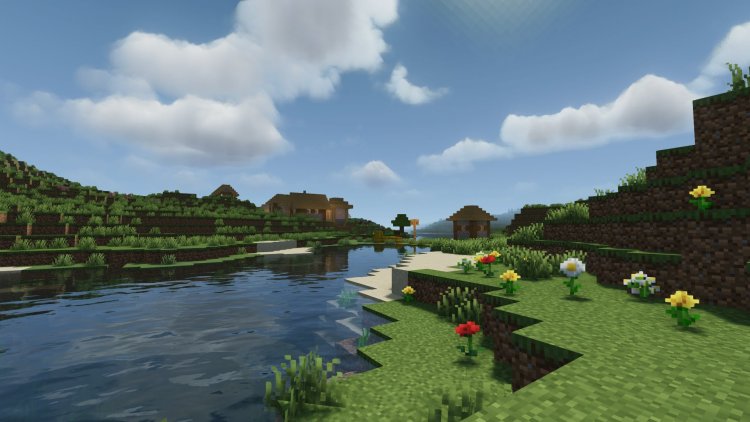
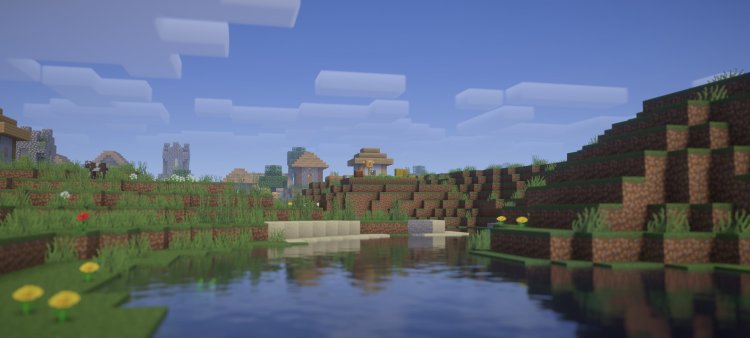
MakeUp - Ultra Fast is one of the most popular performance-focused Minecraft shaders on Modrinth.
Its main goal is to provide a strong quality-to-performance ratio. The shader is designed to be configurable so players can adjust the visual effects based on their PC's performance. Modrinth currently lists more than 13 million downloads for the project.
MakeUp - Ultra Fast is tagged with Potato, Low, and Medium performance categories, along with features such as shadows, bloom, foliage, atmosphere, and reflections.
However, there is an important compatibility note for Minecraft 26.3. The current Modrinth compatibility listing shows Minecraft 26.2 and older supported versions, rather than 26.3.
MakeUp - Ultra Fast Features
- Performance-focused design
- Adjustable shader settings
- Shadows
- Bloom
- Reflections
- Foliage effects
- Atmospheric effects
- Semi-realistic visuals
- Potato performance profile
- Low performance profile
- Medium performance profile
- Iris support
- OptiFine support
Is MakeUp - Ultra Fast Good for Low-End PCs?
Yes, this is one of the main reasons MakeUp - Ultra Fast is popular. It provides multiple performance levels, allowing players to lower demanding effects when they need more FPS. Modrinth specifically categorizes it across Potato, Low, and Medium performance levels.
Download: MakeUp - Ultra Fast on Modrinth
#3 Miniature Shader
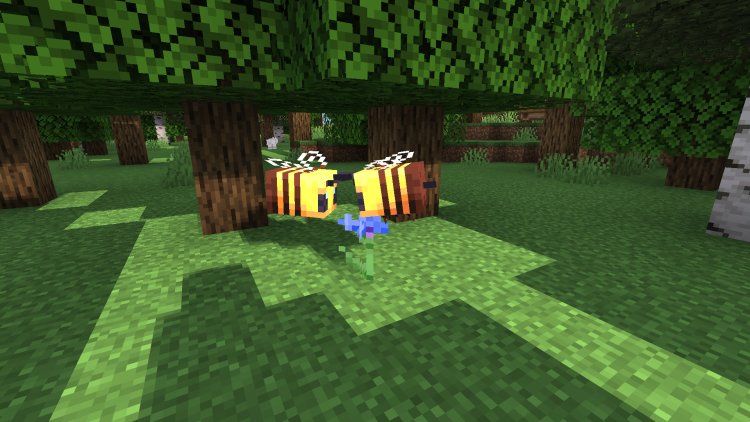
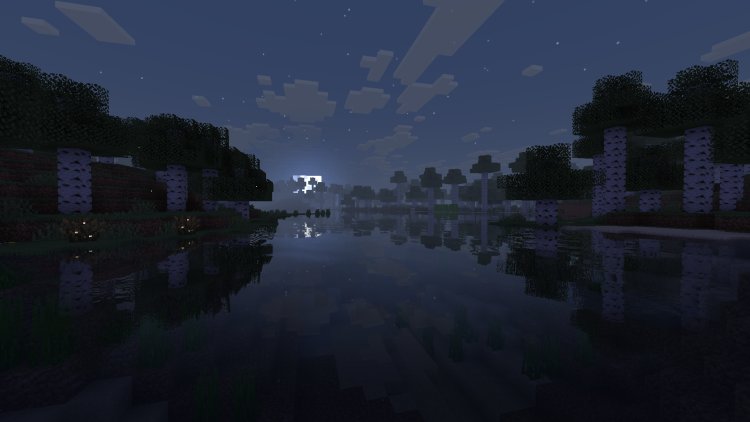
Miniature Shader is one of the best choices on this list if your main goal is keeping Minecraft lightweight.
The creator describes Miniature as an extremely lightweight shader with shadows and reflections. It adds blocky shadows, reflections in water, ice, and other reflective blocks, plus improved emissive lighting while trying to preserve Minecraft's original blocky appearance.
Most importantly for this article, the current Modrinth page lists Minecraft Java 26.3 as supported. It also supports both Iris and OptiFine.
Miniature Shader Features
- Extremely lightweight
- Blocky shadows
- Water reflections
- Ice reflections
- Reflective blocks
- Improved emissive lighting
- Atmospheric effects
- Vanilla-style graphics
- Low-end PC support
- Iris support
- OptiFine support
- Minecraft 26.3 support
Miniature Shader is also tagged Potato, Low, Vanilla Like, Reflections, Shadows, and Atmosphere on Modrinth.
Why Choose Miniature Shader?
If you want shaders but do not want Minecraft to look completely different, Miniature Shader is a strong option. Its goal is to improve lighting and reflections while keeping the original Minecraft style and performance in mind.
The latest listed Miniature version also includes improvements to water, Nether color grading, copper block highlighting, entity lighting, and day/night transitions.
Download: Miniature Shader on Modrinth
#2 I Like Vanilla
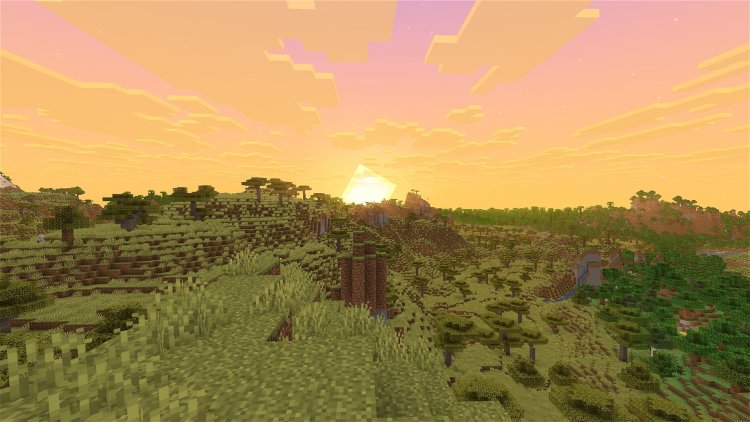
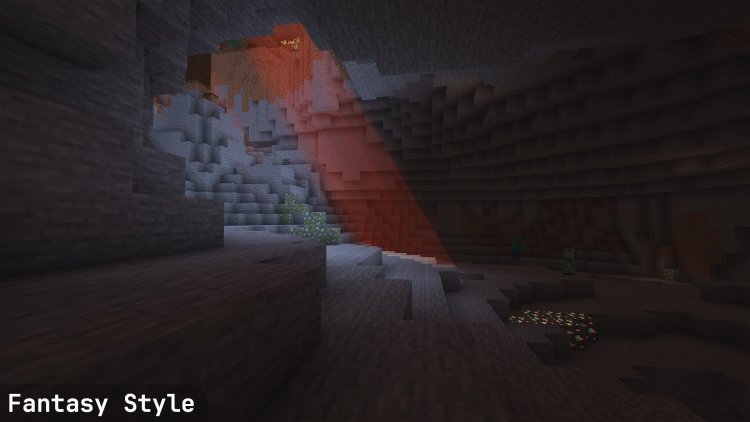
I Like Vanilla is a Minecraft shader designed to improve Minecraft's graphics without making the game lose its vanilla identity.
The creator describes the goal as improving Minecraft's style instead of replacing it. The shader focuses on being beautiful, pleasant, unobtrusive, sharp, gameplay-oriented, and performant.
I Like Vanilla currently lists Minecraft Java 26.3 as compatible and supports Iris and OptiFine, although the creator notes that OptiFine support is only partial.
I Like Vanilla Features
- Vanilla-style graphics
- Improved lighting
- Shadows
- Reflections
- Atmosphere
- Sharp anti-aliasing
- Gameplay-focused visuals
- Multiple visual styles
- Low performance profile
- Semi-realistic options
- Iris support
- Partial OptiFine support
- Minecraft 26.3 support
I Like Vanilla Performance
I Like Vanilla includes several performance settings, allowing players to choose between different quality levels.
The creator's published performance tests show that the shader can run at high FPS on the test system, especially when using the Vanilla style with lower settings. Those tests were performed using a GTX 1070, 1080p resolution, 16 render-distance chunks, and Fabulously Optimized.
These numbers should not be treated as guaranteed FPS for your PC. They are useful mainly as an example of how the shader's different settings can affect performance.
Download: I Like Vanilla on Modrinth
#1 Visual Vibrance
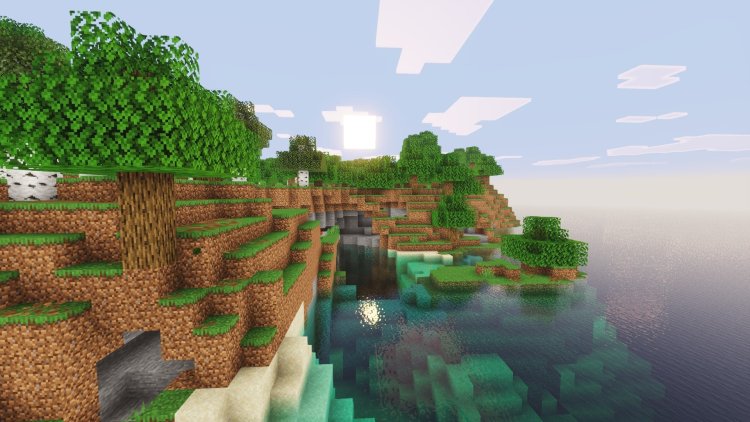
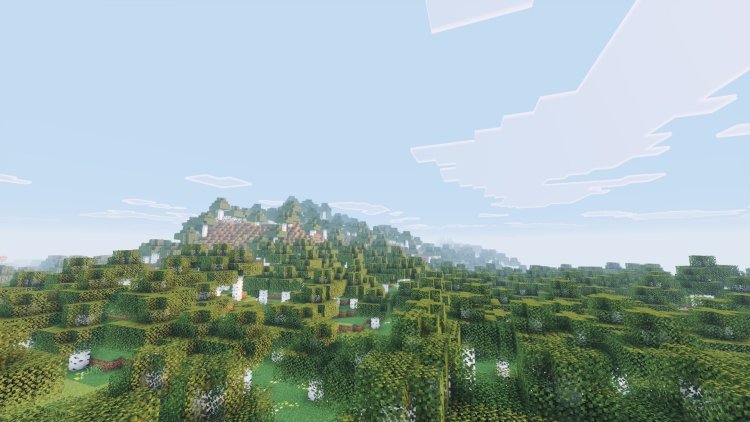
Visual Vibrance is designed to recreate the look of Minecraft's Vibrant Visuals system on Java Edition.
The shader was created as an attempt to recreate the new Vibrant Visuals feature that was originally available on Minecraft Bedrock Edition. It adds effects such as reflections, shadows, bloom, and vanilla-style visual improvements.
However, there is a major compatibility warning: the current Modrinth page lists Minecraft 26.1.x, 1.21.x, and 1.20.x, but does not list Minecraft 26.3. It also only supports Iris, with OptiFine not supported.
Another important point is that Visual Vibrance is no longer actively developed, according to its Modrinth page.
Visual Vibrance Features
- Vibrant Visuals-inspired graphics
- Reflections
- Shadows
- Bloom
- Vanilla-style visuals
- Lightweight design
- Iris support
- OpenGL 4.3+ support
Is Visual Vibrance Good for Low-End PCs?
Visual Vibrance is tagged as Low on Modrinth, which makes it interesting for players who want Vibrant Visuals-style effects without using a very demanding shader.
However, because it is no longer actively developed and does not currently list Minecraft 26.3 compatibility, players on 26.3 should consider a shader that officially supports their version instead.
Download: Visual Vibrance on Modrinth
Which Is the Best No Lag Minecraft Shader for 26.3?
If you are specifically playing Minecraft Java 26.3, the safest choices from this list are Miniature Shader and I Like Vanilla, because both currently list 26.3 compatibility on Modrinth.
Best for Low-End PCs
Miniature Shader is the best choice if performance is your biggest priority. It is specifically described as extremely lightweight and carries both Potato and Low performance tags.
Best Vanilla-Style Shader
I Like Vanilla is a great option if you want Minecraft to look better while still feeling like the original game. It also officially lists Minecraft 26.3 support.
Best Performance-Focused Shader
MakeUp - Ultra Fast is an excellent performance-oriented shader, but its current Modrinth compatibility listing stops at Minecraft 26.2. If you are playing 26.3, check for a newer release before installing it.
How to Get More FPS With Minecraft Shaders
Even a lightweight shader can reduce FPS. If your game is lagging, try these settings:
- Lower your render distance.
- Lower your simulation distance.
- Reduce shader shadow quality.
- Turn off motion blur.
- Lower reflection quality.
- Disable unnecessary volumetric effects.
- Lower Minecraft's resolution if needed.
- Close other programs running in the background.
- Use Iris with a performance-focused mod setup.
- Choose a lower shader preset.
The best settings depend on your hardware, so start with the lowest preset and increase quality until you find the right balance.
Final Thoughts
Finding the best no lag Minecraft shaders for 26.3 Java Edition is mostly about balancing graphics and performance.
Vanilla Plus Shader is a good vanilla-style option, but its current Modrinth page does not list 26.3. MakeUp - Ultra Fast is built around performance and offers Potato, Low, and Medium settings, but currently lists support through 26.2.
Miniature Shader is an extremely lightweight option and currently supports Minecraft 26.3. I Like Vanilla also supports 26.3 and focuses on improving Minecraft without replacing its original style.
Visual Vibrance is designed to recreate the look of Bedrock's Vibrant Visuals on Java, but it is no longer actively developed and does not currently list Minecraft 26.3 support.
If your priority is high FPS on Minecraft 26.3, start with Miniature Shader or I Like Vanilla, then adjust the shader settings based on your PC.