Best PvP Texture Packs for Minecraft Bedrock Edition (2026)
 mcpecentraladmin
Best PvP Texture Packs for Minecraft Bedrock Edition (2026)
Looking for the best PvP texture packs for Minecraft Bedrock Edition in 2026? You're in the right place. Whether you're grinding BedWars, dominating SkyWars, running Crystal PvP, or battling on a hardcore SMP, having the right texture pack gives you a real, measurable advantage. The right pack means higher FPS, a cleaner HUD, faster hotbar switching, better enemy visibility, and a UI that works for your playstyle instead of slowing you down.
This list covers every type of Bedrock PvP player — from mobile players who need hotbar slot buttons and touch-optimized layouts, to PC players who want full client-style experiences with draggable modules, config saving, and mod menus. Every pack listed is compatible with Minecraft Bedrock 26.1 Tiny Takeover, works across Android, iOS, Windows, Xbox, and PlayStation, and is completely free.
1. Déesse UI Pack — Best Overall PvP UI Texture Pack for Minecraft Bedrock
Creator: ItzRiyo157 Downloads: 1.2M+ Download: mcpedl.com/deesse-ui-pack | ItzRiyo157 Discord Rating: 5/5
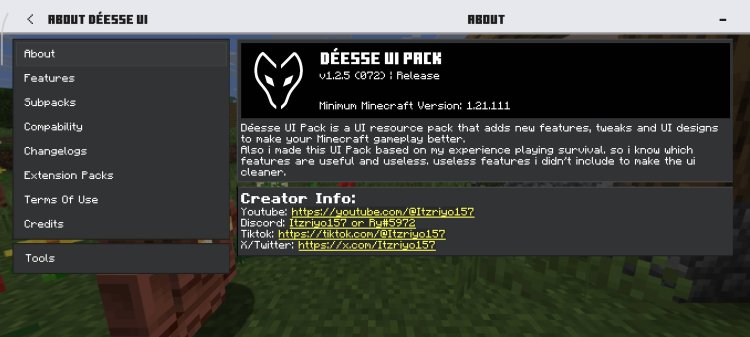
The Déesse UI Pack is the most downloaded, most feature-complete, and most well-rounded PvP UI texture pack ever made for Minecraft Bedrock Edition. With over 1.2 million downloads and ongoing active development from creator ItzRiyo157, this is the standard every other Bedrock UI pack gets measured against.
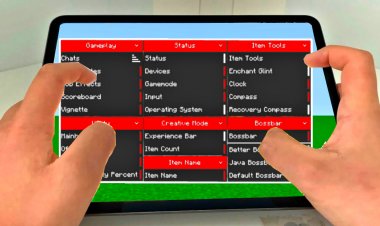
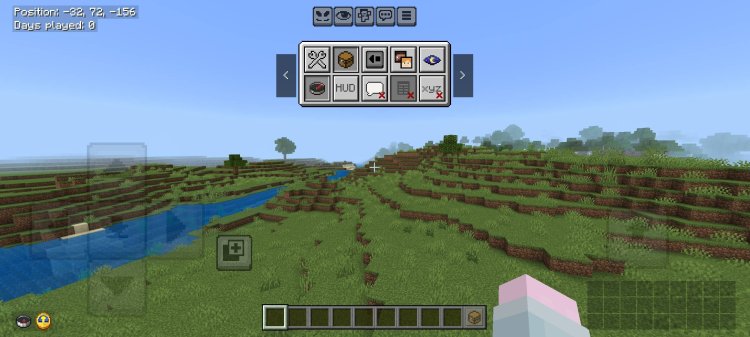
What makes Déesse UI exceptional for PvP specifically is the interactive in-game HUD system. Every module can be toggled directly from inside gameplay — no pausing, no menus, no missed combos. The pack also doubles as an all-in-one bundle, combining ItzRiyo157's separate smaller packs (Quick Container, Force Spectator, Player List HUD, Temp Notes, and more) into a single clean install.
Key PvP features include:
- Live Inventory HUD — Equipped armor and items are visible directly on the HUD at all times
- Hotbar Slot Buttons — On-screen tappable buttons for every hotbar slot built for mobile PvP (available via the ItzRiyo157 Discord)
- Force Spectator Toggle — Switch to spectator view via the UI for supported server environments
- Player List (TAB View) — Check who's on the server without leaving gameplay
- FPS Counter — Real-time frame rate display so you can monitor performance during matches
- Night Vision Toggle — Built-in brightness overlay for dark map and cave PvP scenarios
- Coords Saver — Save your coordinates from the chat screen with a single tap
- Debug Panel — Shows FPS, coordinates, chunk info, and moon phase in-game
- Quick Container — Faster chest management for speed looting during BedWars and SkyWars
- Quick Settings (F5) — Instant access to game and video settings mid-session
- Calculator and Temp Notes — Built-in tools for server management and on-the-fly planning
The pack works exclusively with the Classic UI profile, is English-only, and is fully updated for Minecraft Bedrock 26.1 Tiny Takeover. Best used as a standalone — it already contains every feature you need.
For Force Creative mode and hotbar slot buttons specifically, join the ItzRiyo157 Discord at discord.gg/itzriyo157 for access.
2. Another UI — Best Survival and SMP PvP Utility Pack for Minecraft Bedrock
Download: mcpedl.com/another Rating: 4/5
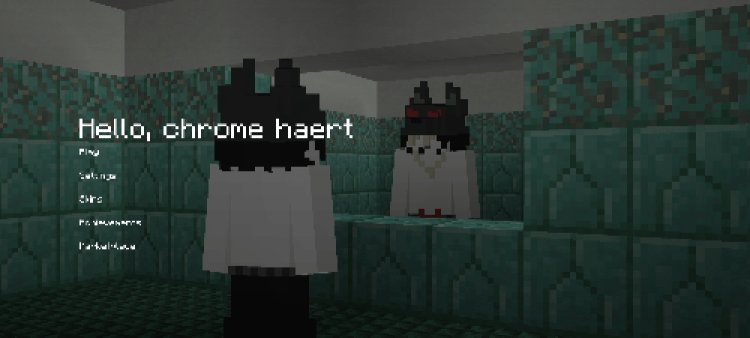
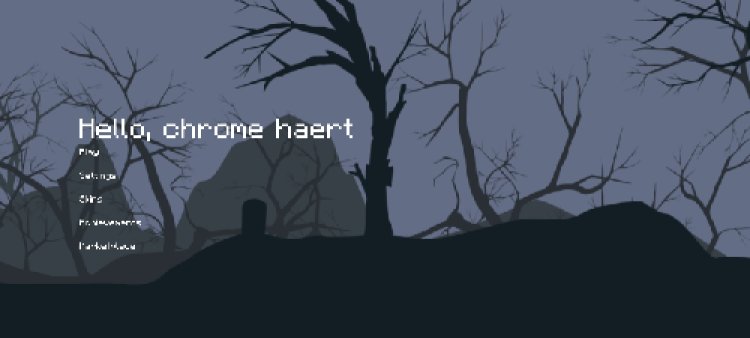
Another UI is the standout pick for competitive Bedrock players who split their time between PvP combat and deep survival or SMP gameplay. It delivers the first chunk map on Minecraft Bedrock Edition without mob or player entities — a landmark feature that gives competitive players clean, reliable positional data with none of the distraction.
The pack ships as two parts: the main pack for core UI upgrades and an optional "more pack" for additional enhancements, giving you full control over what you install.
Key PvP and utility features include:
- Chunk Map — The first clean Bedrock chunk map with no mob or player entity clutter, ideal for base tracking and strategic positioning
- Ore Info Display — In-game ore distribution data for efficient resource gathering between PvP sessions
- F3 Debug Screen — Full debug panel with coordinates, FPS, and game data always available
- Furnace Fuel Information — Real-time fuel display during base management phases
- Always-On Coordinates — Constant position tracking critical for map awareness during open-world PvP
- Quick Gamemode Toggle — Fast gamemode switching for server admins and practice world setups
- Clean HUD Layout — Organized and readable interface that stays out of your way during fights
Note that chunk map, ore info, and coordinates features require "Show Coordinates" to be enabled on your server or world settings.
3. Glacier Client V5 — Best Lightweight No-Lag PvP Client for Minecraft Bedrock
Creator: PepeOnCF / PepeOnMCPEDL Downloads: 138K+ Download: mcpedl.com/glacier-client-v5 Rating: 4.5/5
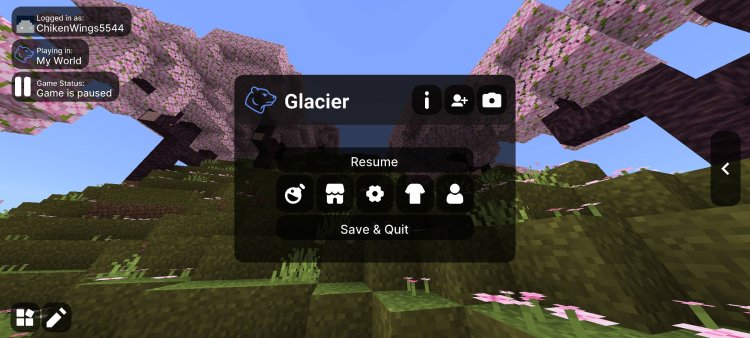
Glacier Client V5 is the benchmark for lightweight Minecraft Bedrock PvP packs. At just 2MB in file size, it delivers zero performance impact on every device — from budget Android phones to high-end Windows gaming PCs. The custom UI, built-in mod menu, and draggable HUD modules give you complete on-screen control without sacrificing a single frame.
This pack is officially described as "perfect for PvP, casual play, or content creation — built for clarity, performance, and control." If you want a clean, functional, no-lag PvP setup that works perfectly out of the box, Glacier Client V5 is the fastest way to get there.
Key PvP features include:
- Draggable HUD Modules — Freely reposition every UI element to build your perfect PvP layout
- Built-In Mod Menu — Toggle and configure all features directly inside the game
- Armor HUD — Real-time armor display so you always know your defensive status mid-fight
- FPS Boost — 2MB file with zero performance impact even on the lowest-end devices
- Death Points and Waypoints — Track your last death location and set custom markers on the map
- F1 and F8 Buttons — Instantly hide the full HUD or enter screenshot mode
- Multiple Theme Options — Choose and personalize the visual style of your client interface
- Automatic Update System — Always stay on the latest version without manually checking
A Glacier V6 is available for players who want additional visual and feature upgrades. Check the MCPEDL page to confirm which version is compatible with your current Minecraft Bedrock build.
4. Bedrock UI+ — Best Feature-Rich PvP UI Overhaul for Minecraft Bedrock
Creator: Bruhh69 Downloads: 709K+ Download: mcpedl.com/bedrock-ui-plus-b69-2 Rating: 4.5/5
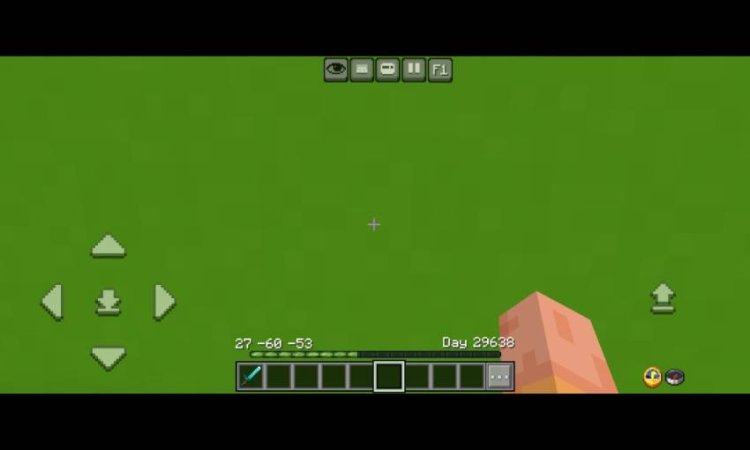
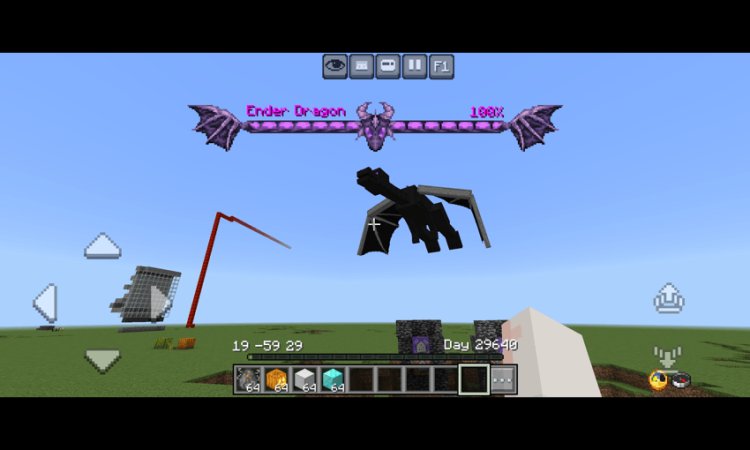
Bedrock UI+ is one of the most comprehensive and widely downloaded PvP UI overhaul packs ever created for Minecraft Bedrock Edition. With nearly 710K downloads, this pack touches nearly every screen in the game — hotbar, inventory, debug panel, chat, container screens — and makes every single one more useful for competitive play.
Bruhh69 credits contributions from ItzRiyo157 (Déesse), PepeOnCF (Glacier Client), and other top community creators, making this a best-of-community compilation built specifically around competitive Bedrock performance.
Key PvP features include:
- Inventory HUD — Real-time item display eliminates the need to open inventory mid-fight
- Hotbar Selector Buttons — On-screen buttons for every hotbar slot, essential for fast switching on mobile
- RGB XP Bar — A color-cycling experience bar for better visual tracking during intense sessions
- Player List HUD — Tab-style server player list visible without ever leaving gameplay
- FPS Counter — Constant performance monitoring during competitive matches
- Debug Screen — Displays FPS, world name, current gamemode, Nether and Overworld coordinates, chunk position, item name, and item ID all at once
- Quick Loot — Move entire inventory stacks from chests in a single tap — critical for BedWars and SkyWars speed looting
- Night Vision Toggle (F5 Quick Settings) — Activate night vision instantly mid-session from Quick Settings
- Dark Mode UI — Full dark interface to reduce eye strain during long PvP grind sessions
- Low Fire — Reduced fire overlay keeps your combat view completely unobstructed
- Dynamic Bossbar — Clean boss health display built for PvP arenas and competitive minigame servers
Bedrock UI+ supports English, Spanish, and Indonesian and is compatible with both Windows PC and all mobile platforms. For players who want one pack that covers every base for Bedrock PvP, this is the closest thing to a complete all-in-one solution.
5. ItzRiyo157 Discord — Force Creative and Hotbar Slot Buttons for Minecraft Bedrock PvP
Creator: ItzRiyo157 Access: discord.gg/itzriyo157 Rating: 4.5/5
Beyond the full Déesse UI Pack, ItzRiyo157's Discord server is the exclusive home for two of the most useful standalone PvP features available for Minecraft Bedrock: Force Creative mode and custom hotbar slot buttons.
These features are distributed directly through the Discord rather than on MCPEDL or CurseForge, making this server an essential stop for any serious Bedrock PvP player who wants the absolute best mobile control setup available.
Force Creative allows players to toggle between creative and survival modes directly through a UI button — invaluable for server admins, practice world setup, and competitive server testing scenarios.
Hotbar slot buttons are exactly what mobile PvP players have needed for years: visible, tappable on-screen buttons for each of your hotbar slots, giving you instant, reliable access to your sword, bow, gap, or totem during live combat. No more swiping blindly across the hotbar at the worst possible moment.
Key features available via the Discord include:
- Force Creative Toggle — Instant creative/survival mode switch via on-screen UI button
- Custom Hotbar Slot Buttons — Individually tappable on-screen buttons for every hotbar slot
- Exclusive Pack Releases — First access to new ItzRiyo157 features before public release
- Active Developer Support — Direct help from ItzRiyo157 and the community for any pack issues
- Update Notifications — Get notified immediately when Déesse UI and related packs update for new Bedrock versions
If you play Minecraft Bedrock PvP on mobile and you haven't set up hotbar slot buttons yet, joining this Discord and downloading this feature should be your very first move.
6. CubeVisage UI — Best Clean Concise UI PvP Pack for Minecraft Bedrock
Creator: wisebreeze Download: share.feijipan.com/s/5RVuwjho Rating: 4/5
CubeVisage UI — also known as Cube UI — is one of the most consistently praised clean UI packs in the entire Minecraft Bedrock community. Created by wisebreeze, this pack earns its reputation by doing one thing exceptionally well: making the entire Minecraft Bedrock interface cleaner, more intuitive, and easier to navigate without overwhelming you with features.
Players across the community describe CubeVisage as "the cleanest UI I've ever used" and "the best UI pack" for players who want a polished, streamlined interface that genuinely improves gameplay clarity without getting in the way. It is compatible with every device — Android, iOS, Windows, Xbox, and PlayStation — and supports multiple languages including English, Chinese, Japanese, Korean, French, German, and Russian.
Key PvP features include:
- Clean Custom Inventory UI — Redesigned inventory screen that's faster to read and navigate during PvP looting phases
- Custom Chest UI — Improved container screen layout for quicker inventory management in BedWars and SkyWars
- Smooth UI Animations — Polished screen transitions that reduce visual jitter during fast play
- White-Themed Clean Interface — A bright, readable design that improves button and menu clarity during combat
- Transparent Inventory Layout — Minimalist transparent design keeps your HUD clean and uncluttered
- Improved Buttons and Menus — More noticeable, easier-to-tap buttons across all screens
- Multi-Language Support — Playable in 7+ languages for international Bedrock PvP communities
- Universal Device Compatibility — Works on every Minecraft Bedrock platform without performance loss
- Theme Support — Optional theme packs including the Dawn theme for further visual customization
CubeVisage UI is perfect for players who find packs like Déesse UI or Better Bedrock too feature-heavy and just want a clean, reliable, fast-loading interface that improves their game without complicating it.
7. Azelux Client — Best New PvP Client with Advanced Config Saving for Minecraft Bedrock
Download: discord.gg/SPzyF5HUqM | azelux-client.github.io Rating: 4/5
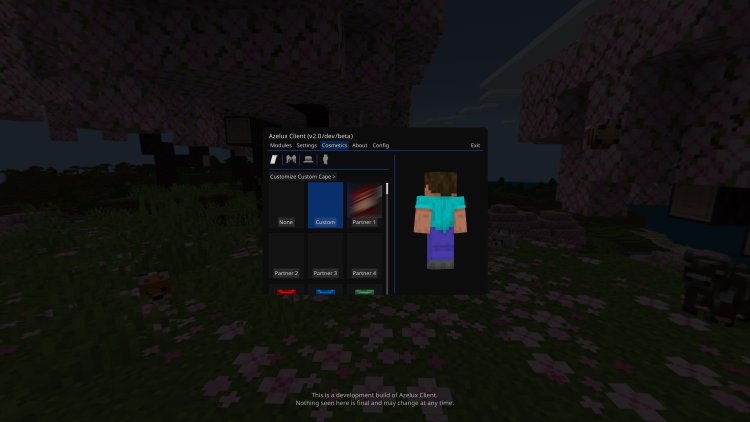
Azelux Client is one of the most exciting new free Minecraft Bedrock clients of 2026. Already making waves in the Bedrock PvP community, Azelux stands apart because of its defining feature: advanced config saving that persists your full HUD layout between every session.
Most Minecraft Bedrock texture packs and clients reset your layout every time you reload the game, log out of a world, or change servers. Azelux Client solves this completely. Set your layout once — every module position, every setting, every toggle — and it stays exactly where you put it, every time you load the game.
Key PvP features include:
- Advanced Config Saving — Your entire HUD layout, module positions, and settings are permanently saved between sessions
- Clean Custom UI — A streamlined, distraction-free interface purpose-built for competitive Bedrock play
- PvP-Focused Module Set — Essential combat utility features right out of the box with no setup needed
- Lightweight Performance — Zero performance hit, works cleanly on mobile devices and low-end hardware
- Active Development — Regularly updated through the official Discord with new features and compatibility patches
- No Bloat — Lean, focused design that stays completely out of your way during fights
Download is available exclusively through the official Azelux Discord server. Join at discord.gg/SPzyF5HUqM to access the latest build.
8. Better Bedrock — Best Full-Featured PvP Client Platform for Minecraft Bedrock
Creators: AmBro (founder), iDarkQ (development lead) Download: betterbedrock.com | Discord Rating: 4.5/5
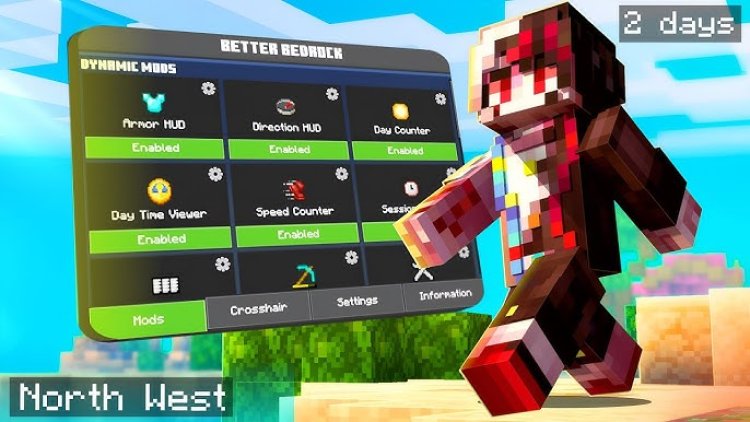
Better Bedrock is one of the most advanced and fully-featured Minecraft Bedrock texture pack clients available in 2026. Founded by AmBro and evolved into a full ecosystem by iDarkQ, this is more than a texture pack — it's a complete Bedrock platform. Now on version V8, Better Bedrock delivers advanced HUD mods, a fully customizable mod menu, a modern dark-themed visual overhaul across all menus, save-and-load profile management, and a suite of extension packs that expand the core experience.
It runs with full consistency across PC, Mobile, and Console — no feature degradation between platforms.
Key PvP features include:
- Advanced HUD Mods — Real-time combat information directly on screen for maximum situational awareness during fights
- Fully Customizable Mod Menu — Toggle any feature, drag any HUD element, and configure everything to your exact playstyle
- Draggable HUD Elements — Every module can be repositioned freely for a fully personalized combat layout
- Save and Load Mod Profiles — Configure your ideal PvP setup and save it as a named profile — switch between setups in seconds
- Modern Dark-Themed UI Overhaul — Complete visual redesign of all Minecraft Bedrock menus with a clean dark aesthetic
- Waypoints Extension Pack — Track key locations during open-world PvP, SMP base management, and server navigation
- Dark Mode Extension Pack — Full dark mode applied across every menu and screen
- Better Fogs Extension Pack — Improved atmospheric fog for better visual clarity during outdoor and long-range PvP
- Low Fire Extension Pack — Reduced fire overlay keeping your combat view completely clear
- Cross-Platform Consistency — Identical performance and feature set whether you're on Windows, Android, iOS, or console
Better Bedrock also functions as a content creator platform — developers can publish extension packs and mods through betterbedrock.com and earn ad revenue, meaning the ecosystem continues growing with new PvP-relevant tools regularly. For players who want the deepest, most complete client-style experience available on Minecraft Bedrock, Better Bedrock V8 is the top-tier option on this list.
9. Asteroid Client V2 (Improved) — Best Mod Menu PvP Client for MCPE Bedrock
Creator: Chixuty Download: Direct .mcpack Download Rating: 4/5
Asteroid Client V2 Improved is a widely downloaded and community-praised PvP client pack for Minecraft Bedrock Edition. Available as a direct .mcpack download with no Discord or sign-up required, it's one of the most accessible client packs on this entire list — tap the link, download, install, and play.
This improved version of the original Asteroid Client V2 delivers a full mod menu, direction HUD, armor HUD, customizable crosshair, force coordinates display, potion status tracker, and optional cosmetics — all in a single install. Community players consistently call it one of the best and cleanest client packs for MCPE PvP.
Key PvP features include:
- Mod Menu — Full in-game toggle and configuration panel for all available modules
- Direction HUD — Always-visible compass-style directional indicator on your HUD
- Armor HUD — Real-time armor status display without ever opening inventory
- Better UI — Cleaner, more readable interface design tuned for competitive play
- Crosshair Editor — Customize your crosshair shape, size, and style directly in-game
- Force Coordinates — Always-on coordinate display for positional awareness during all PvP scenarios
- Potion Status Mod — See every active potion effect at a glance without interrupting gameplay
- FPS Improvement — Optimized for smooth performance even on low-end Android and iOS devices
- Cosmetics — Optional visual overlays including wings, capes, hat, and bandana for custom appearance
- No Lag Design — Lightweight enough to maintain clean gameplay during intense PvP combat
The improved version is noticeably more stable and better optimized than the original V2, with reduced bugs and better compatibility with current Minecraft Bedrock builds. Download directly as a .mcpack file from the Mediafire link — no extra steps needed.
10. Death Coordinates Add-On – Never Lose Your Items Again!: https://discord.com/invite/itzriyo157
If you’ve ever died in Minecraft and had no idea where your loot dropped, the Death Coordinates add-on available in this Discord server is a must-have. You can grab it here: discord.gg/itzriyo157
What Is the Death Coordinates Add-On?
The Death Coordinates Add-On is a super useful Minecraft Bedrock utility that automatically tells you the exact coordinates where you died. Instead of wandering around trying to find your items before they despawn, you’ll know exactly where to go.
How to Install PvP Texture Packs on Minecraft Bedrock Edition
Installing any of these packs on Minecraft Bedrock is fast and works the same way on every platform:
- Tap or click the download link and save the
.mcpackfile to your device - Open the file — Minecraft Bedrock will automatically import and install it
- Go to Settings > Global Resources, or open a world and navigate to Edit > Resource Packs
- Find the pack in your available list and tap the + button to activate it
- Move it to the top of your active pack list if needed
- Launch your world or join a server — your new PvP setup is live
For Discord-based packs like Azelux Client, the ItzRiyo157 hotbar buttons, and Better Bedrock, join the linked Discord server and follow the pinned download instructions in the relevant channel.
Best PvP Texture Packs for Minecraft Bedrock — Quick Comparison Table
| Pack | Best For | FPS Boost | Mobile Friendly | Downloads |
|---|---|---|---|---|
| Déesse UI Pack | Best overall PvP UI | ✅ | ✅ | 1.2M+ |
| Another UI | SMP and survival PvP utility | ✅ | ✅ | — |
| Glacier Client V5 | Lightweight no-lag PvP client | ✅✅ | ✅✅ | 138K+ |
| Bedrock UI+ | Feature-rich PvP overhaul | ✅ | ✅ | 709K+ |
| ItzRiyo157 Discord | Hotbar buttons and Force Creative | ✅ | ✅✅ | — |
| CubeVisage UI | Clean minimal UI for PvP | ✅ | ✅ | — |
| Azelux Client | Config saving PvP client | ✅ | ✅ | — |
| Better Bedrock V8 | Full-featured PvP platform | ✅ | ✅ | — |
| Asteroid Client V2 | Direct download mod menu client | ✅ | ✅ | — |
Frequently Asked Questions — PvP Texture Packs for Minecraft Bedrock
What is the best PvP texture pack for Minecraft Bedrock in 2026? Déesse UI Pack is the best overall PvP texture pack for Minecraft Bedrock in 2026, with over 1.2 million downloads and features including live inventory HUD, hotbar slot buttons, force spectator, night vision toggle, FPS counter, and a full interactive HUD module system.
What is the best no-lag PvP texture pack for Minecraft Bedrock? Glacier Client V5 is the best no-lag option. At just 2MB with zero performance impact, it's the lightest full-featured PvP client on the list and runs cleanly on every device including budget Android phones.
Do Minecraft Bedrock PvP texture packs work on mobile? Yes. Every pack on this list is compatible with Android and iOS Minecraft Bedrock. Several packs — including Déesse UI, Bedrock UI+, and the ItzRiyo157 Discord hotbar buttons — are specifically designed with mobile PvP players in mind, featuring on-screen tappable hotbar slot buttons and touch-optimized layouts.
What PvP texture pack is best for BedWars and SkyWars on Minecraft Bedrock? Bedrock UI+ is the strongest choice for BedWars and SkyWars because of its Quick Loot feature, hotbar selector buttons, inventory HUD, and player list display. Glacier Client V5 and Better Bedrock are also excellent choices for competitive server play.
Which Minecraft Bedrock PvP pack saves my HUD layout between sessions? Azelux Client and Better Bedrock V8 both offer config saving. Your full module layout, positions, and settings are preserved between every session — no resetting, no reconfiguring.
Are these Minecraft Bedrock PvP texture packs free? Yes. Every single pack on this list is completely free to download. Discord-only packs like Azelux Client and ItzRiyo157's hotbar buttons require joining the server to access the download link, but there is no cost involved.
Final Thoughts — Best PvP Texture Packs for Minecraft Bedrock 2026
Whether you're competing in BedWars, running Crystal PvP, playing on a hardcore SMP, or grinding ranked servers, the right Minecraft Bedrock PvP texture pack makes a measurable difference. This list covers every level and every device.
For the best all-around PvP UI: Déesse UI Pack. For the cleanest lightweight experience: Glacier Client V5. For the deepest feature set: Bedrock UI+. For the most complete platform experience: Better Bedrock V8. For direct-download mod menu PvP: Asteroid Client V2. For clean minimal UI: CubeVisage UI. For config saving: Azelux Client. For mobile hotbar control: ItzRiyo157 Discord.
Bookmark this page — it gets updated as new packs release and existing ones update for the latest Minecraft Bedrock versions.