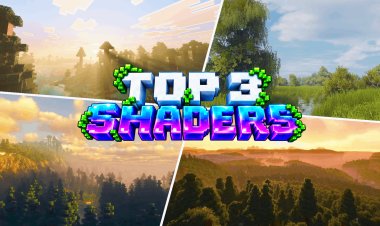
Top 3 ULTRA Realistic Shaders for Minecraft PE/Bedrock – Android, iOS & Windows
 mcpecentraladmin
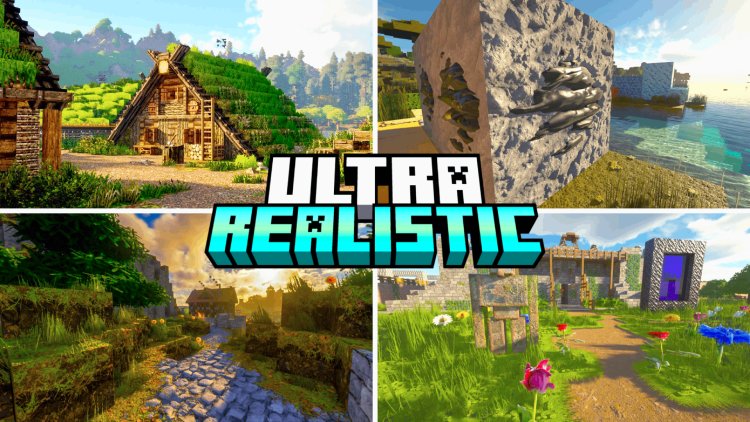
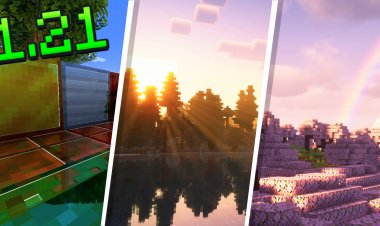
If you want to make Minecraft PE/Bedrock Edition look more realistic, shaders and visual packs can completely change the game's lighting, colors, fog, skies, water, and overall atmosphere.
With Minecraft Bedrock's newer Vibrant Visuals and deferred rendering features, there are now more options for getting realistic graphics on Android, iOS, and Windows without switching to Minecraft Java Edition.
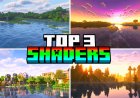
Here are 3 ultra-realistic shaders and visual packs for Minecraft PE/Bedrock that are worth checking out.
Note: Compatibility can depend on your Minecraft version and device. Some newer visual packs require Bedrock's Vibrant Visuals features.
Top 3 Realistic Shaders for Minecraft Bedrock
#3 – Dark Fantasy Visuals
Download: Dark Fantasy Visuals on MCPEDL
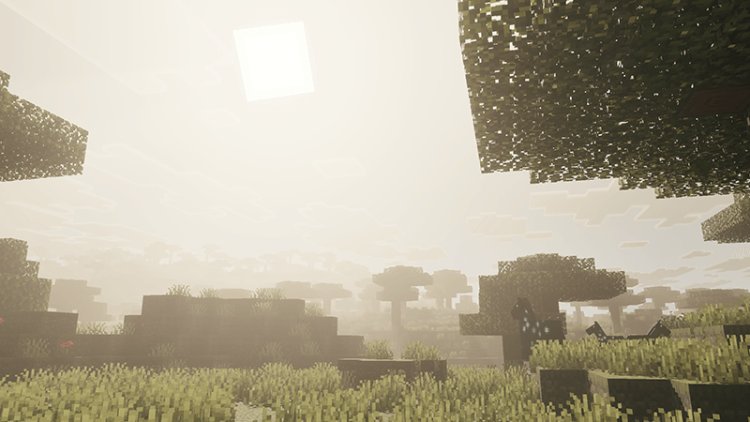
Dark Fantasy Visuals is a realistic Minecraft Bedrock visual pack designed around a darker and more atmospheric look.
The pack uses Vibrant Visuals lighting to give Minecraft a more dramatic appearance. Instead of simply making everything brighter, it focuses on creating a darker fantasy atmosphere with enhanced lighting and visual effects.
According to its MCPEDL listing, Dark Fantasy Visuals is categorized as both Realistic and Shaders, and the pack has accumulated more than 1 million downloads.
This makes it a good option if you want your Minecraft world to look more cinematic and atmospheric.
What makes it interesting:
- Darker atmosphere
- Enhanced lighting
- Realistic visual effects
- Vibrant Visuals support
- Great for cinematic Minecraft screenshots
- Works with Bedrock's newer visual system
If you like dark, dramatic Minecraft graphics, this is a shader pack you should try.
#2 – Prizma Visuals
Download: Prizma Visuals on MCPEDL
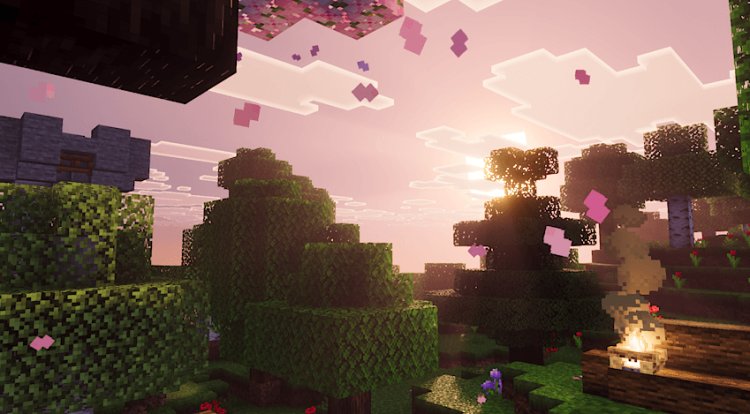
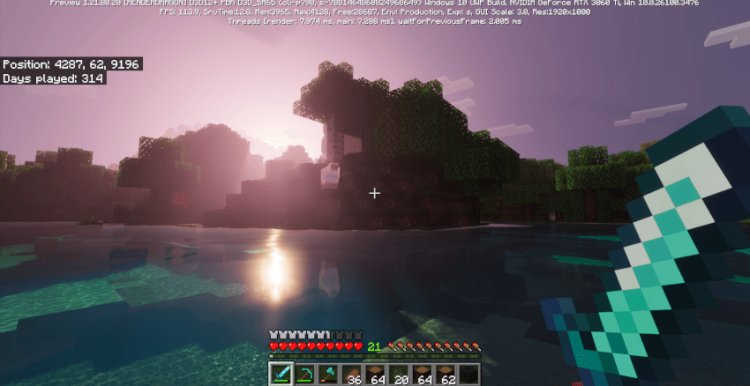
Prizma Visuals Legacy, previously associated with the Prizma PBR Deferred Pack, is another popular option for Minecraft Bedrock players looking for enhanced graphics.
The MCPEDL page lists it as a Vibrant Visuals deferred pack and shows millions of downloads. It also includes installation guides for Android, iOS, and Windows 10.
One of the major reasons people use Prizma is its focus on PBR-style materials, lighting, fog, and improved textures. When used with the appropriate Minecraft visual settings, it can make ordinary Minecraft blocks look much more detailed.
Prizma Visuals features include:
- PBR-style visuals
- Enhanced lighting
- Improved fog
- More detailed materials
- Vibrant Visuals/deferred rendering
- Android support
- iOS support
- Windows support
If you're looking for a Minecraft Bedrock shader with a more modern, high-quality look, Prizma is worth testing.
Important: Make sure your Minecraft version supports the features required by the pack. The MCPEDL page specifically discusses using it with Vibrant Visuals.
#1 – Solar Shaders
Download: Solar Shaders on MCPEDL
At #1 is Solar Shaders.
Solar Shaders is a Minecraft Bedrock visual pack focused on creating a cinematic atmosphere through lighting, skies, fog, and other visual effects.
The current MCPEDL listing categorizes Solar Shaders under Shaders, Realistic, and Enhanced Visuals. The pack has also passed 900,000 downloads, showing that it has attracted a large Bedrock audience.
The pack is particularly focused on the appearance of the sky and lighting throughout the day. Its MCPEDL description highlights volumetric amber fog, warm god rays, layered skies, auroras, and shooting stars.
Solar Shaders features
- Realistic lighting
- Volumetric fog
- God rays
- Enhanced skies
- Improved atmosphere
- Aurora effects
- Shooting stars
- Vibrant Visuals support
- Cinematic visuals
If you're trying to make your Minecraft Bedrock world look more like a cinematic survival game, Solar Shaders is an excellent pack to test.
Which Minecraft Bedrock Shader Should You Download?
Here's a quick breakdown:
| Shader | Main Style | Best For |
|---|---|---|
| Dark Fantasy Visuals | Dark & atmospheric | Fantasy/cinematic worlds |
| Prizma Visuals | PBR & realistic | Detailed materials and lighting |
| Solar Shaders | Bright & cinematic | Skies, fog and atmosphere |
All three packs are designed for Minecraft Bedrock Edition, but compatibility can vary depending on your Minecraft version and device.
How to Install Shaders on Minecraft PE/Bedrock
Installing a Bedrock shader or visual pack is usually straightforward.
- Download the
.mcpackfile from the appropriate MCPEDL page. - Open the downloaded file.
- Minecraft should launch automatically.
- Wait for the pack to import.
- Open Settings.
- Go to Global Resources or the relevant resource-pack section.
- Activate the visual pack.
- If required, enable Vibrant Visuals.
- Load your Minecraft world and check the new graphics.
The exact menus can vary between Minecraft versions, especially as Mojang continues changing Bedrock's graphics system.
Do Minecraft Bedrock Shaders Work on Android, iOS and Windows?
Yes, some Bedrock shaders and visual packs support Android, iOS, and Windows, but compatibility isn't universal.
Modern Bedrock visual packs increasingly rely on Vibrant Visuals and deferred rendering, so the Minecraft version and hardware can matter just as much as the shader itself.
For example, the Prizma MCPEDL listing provides installation guides for Android, iOS, and Windows 10.
Before downloading a pack, check its MCPEDL page for the supported Minecraft versions and device requirements.
Do Realistic Shaders Lower FPS?
They can.
More advanced lighting, reflections, fog, PBR materials, and other visual effects can require more GPU power. The impact depends heavily on your device.
A newer Android phone, iPhone, or Windows gaming PC may handle demanding visual packs better than an older or lower-end device.
If your FPS drops after installing a shader, try:
- Lowering your render distance
- Reducing simulation distance
- Closing other apps
- Using a lighter visual pack
- Lowering graphics settings
- Testing the shader in a new world
Final Thoughts
If you're searching for the best realistic shaders for Minecraft PE/Bedrock, these three are great places to start:
#3 – Dark Fantasy Visuals for a dark and dramatic atmosphere.
#2 – Prizma Visuals for PBR-style materials and enhanced lighting.
#1 – Solar Shaders for cinematic skies, fog, lighting, and atmosphere.
These packs show how much Minecraft Bedrock Edition graphics have changed, especially with the newer Vibrant Visuals and deferred-rendering features.
If you're playing Minecraft PE on Android or iOS, or Minecraft Bedrock on Windows, check the individual download pages before installing to make sure the pack supports your current Minecraft version.
Downloads
#3 – Dark Fantasy Visuals: Download on MCPEDL
#2 – Prizma Visuals: Download on MCPEDL
#1 – Solar Shaders: Download on MCPEDL
SEO keywords: Minecraft shaders, Minecraft PE shaders, Minecraft Bedrock shaders, realistic shaders for Minecraft, ultra realistic shaders Minecraft, Minecraft realistic shaders, Minecraft PE realistic shaders, Minecraft Bedrock realistic shaders, best shaders for Minecraft Bedrock, best shaders for Minecraft PE, Minecraft shaders Android, Minecraft shaders iOS, Minecraft shaders Windows, Minecraft Bedrock shaders Android, Minecraft Bedrock shaders iOS, Minecraft Bedrock shaders Windows, realistic Minecraft graphics, Minecraft Vibrant Visuals shaders, Minecraft deferred shaders, Minecraft PBR shaders.