Top 3 BEST Shaders For Minecraft 26.1/26.1.2 - Ultimate Graphics Enhancement Guide
 mcpecentraladmin
Top 3 BEST Shaders For Minecraft 26.1/26.1.2 - Ultimate Graphics Enhancement Guide
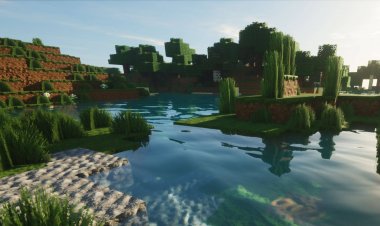
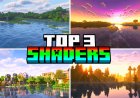
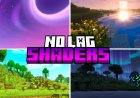
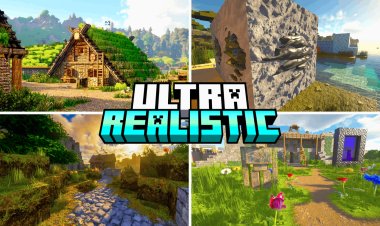
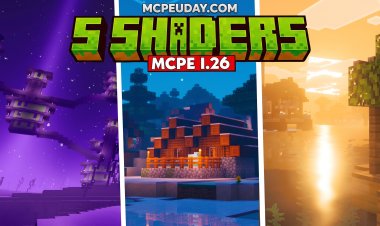
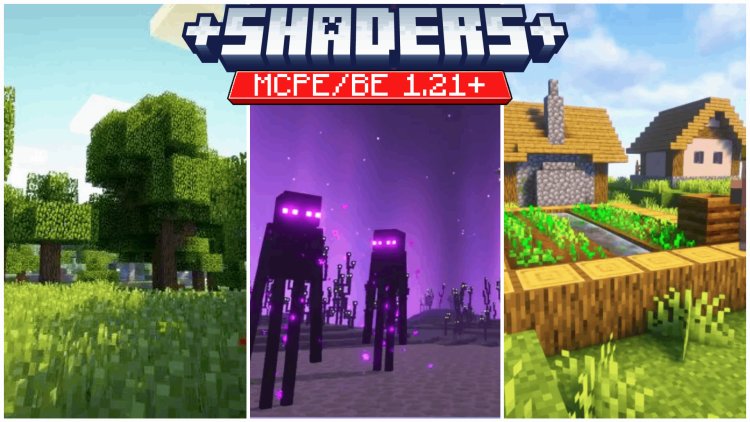
Want to transform Minecraft 26.1 and 26.1.2 into a visually stunning masterpiece? The right shader pack can completely revolutionize your gameplay experience, adding realistic lighting, dynamic shadows, water reflections, and cinematic visual effects. We've tested dozens of shader packs to bring you the three absolute best shaders for Minecraft 26.1 and 26.1.2 that deliver breathtaking graphics without destroying your FPS.
What Are Shaders For Minecraft 26.1/26.1.2?
Shaders are advanced graphics modifications that enhance Minecraft's lighting engine, water physics, particle effects, and overall visual quality. Unlike texture packs or addons, shaders fundamentally change how the game renders light, shadows, and environmental effects. For Minecraft 26.1 and 26.1.2, modern shaders deliver cinematic-quality graphics that rival AAA games.
The best shaders for Minecraft 26.1/26.1.2 are optimized to run smoothly on both high-end gaming PCs and mid-range systems, making them accessible to all players who want better graphics.
1. Kappa Shader By RRe36 - Best Overall Shader For Minecraft 26.1/26.1.2
Rating: 5/5
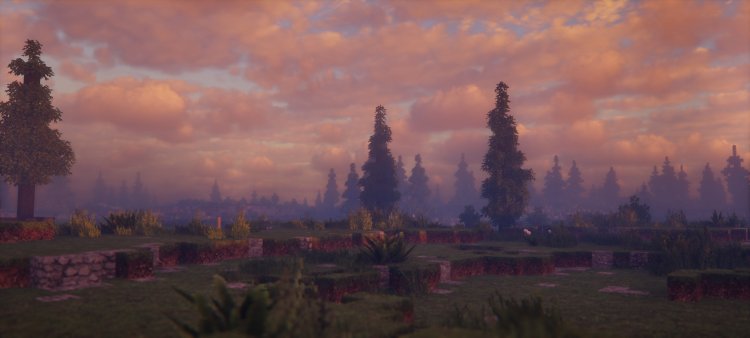
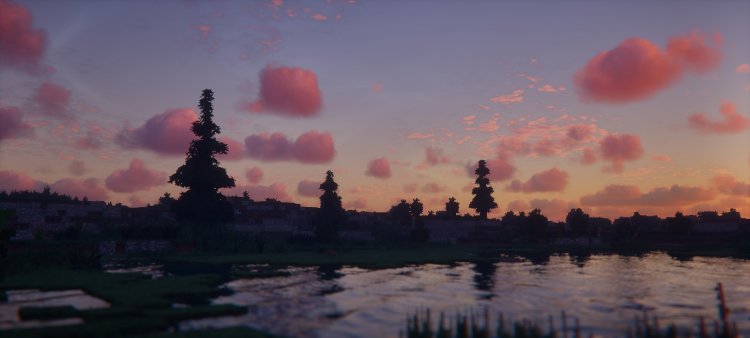
Kappa Shader by RRe36 is the gold standard for Minecraft 26.1 and 26.1.2 graphics enhancement. This shader delivers stunning dynamic lighting, realistic water reflections, volumetric clouds, and cinematic shadow rendering that makes your world feel alive. RRe36 is a legendary shader developer in the Minecraft community, and Kappa represents years of optimization and visual perfection.
Why Kappa Shader dominates for Minecraft 26.1/26.1.2:
- Realistic water rendering – Crystal-clear water reflections with accurate wave physics
- Dynamic shadows – Real-time shadows that follow light sources and player movement
- Volumetric lighting – God rays and atmospheric light shafts penetrating clouds and forests
- Optimized performance – Maintains 60+ FPS on mid-range systems without sacrificing quality
- Customization options – Adjust bloom, shadow quality, water intensity, and lighting through in-game settings
- Cinematic effects – Depth of field, motion blur, and color grading options for screenshot perfection
Kappa Shader works flawlessly with Minecraft 26.1 and 26.1.2, instantly transforming your survival world, creative builds, and exploration into visually breathtaking experiences. Whether you're taking screenshots, recording videos, or simply enjoying enhanced gameplay, Kappa delivers unmatched visual quality. The shader is compatible with Optifine and works with most texture packs, giving you infinite customization possibilities.
RRe36's attention to detail is evident in every frame—realistic cloud formations, authentic sunrise and sunset colors, and beautifully rendered particles that float naturally through the air. If you want the single best shader for Minecraft 26.1/26.1.2, Kappa is your answer.
Download: https://www.curseforge.com/minecraft/shaders/kappa-shader-by-rre36
2. Mellow - Best Aesthetic Shader For Minecraft 26.1/26.1.2
Rating: 5/5
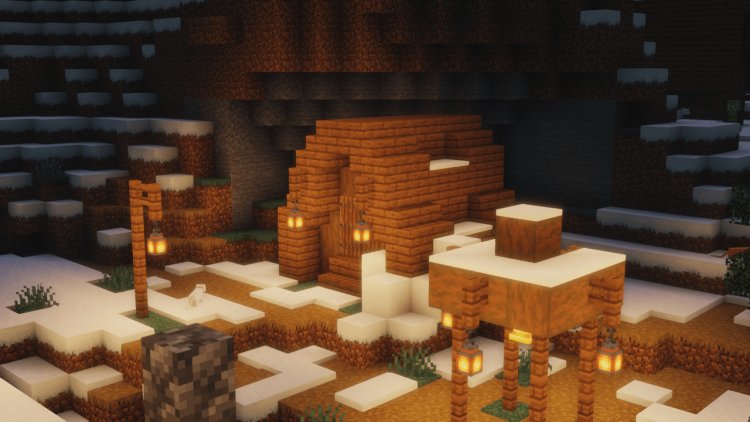
Mellow shader is the perfect choice for players who want a beautiful, warm, and inviting visual style for Minecraft 26.1 and 26.1.2. This shader emphasizes soft lighting, gentle color grading, and cozy atmospheric effects that make your world feel like a peaceful, living painting. Mellow is ideal for creative builders, content creators, and players who prioritize aesthetics and ambiance over raw technical performance.
Why Mellow excels for Minecraft 26.1/26.1.2:
- Warm, inviting color palette – Golden hour lighting that enhances building details and landscapes
- Soft volumetric lighting – Atmospheric rays that create dreamy, cinematic scenes
- Optimized for performance – Runs smoothly on lower-end hardware without compromising visual quality
- Screenshot-friendly – Colors and lighting specifically tuned for creating stunning in-game photos
- Natural water effects – Beautiful reflections and transparency that feel organic, not overdone
- Sunset and sunrise perfection – Unmatched golden hour rendering for any time of day
Mellow is perfect for Minecraft 26.1 and 26.1.2 survival worlds, creative building projects, and content creation. If you're running a YouTube channel, streaming, or simply want your world to look magazine-worthy, Mellow delivers the aesthetic edge you need. The shader is lightweight, compatible with most texture packs, and works seamlessly with Minecraft 26.1/26.1.2.
Unlike more aggressive shaders that can oversaturate colors or create harsh shadows, Mellow maintains a balanced, natural look that enhances gameplay without feeling unrealistic. Your forests look greener, your oceans feel deeper, and your buildings shine with subtle detail—all while maintaining smooth performance.
Download: https://www.curseforge.com/minecraft/shaders/mellow
3. Pastel Shaders - Best Colorful Shader For Minecraft 26.1/26.1.2
Rating: 5/5
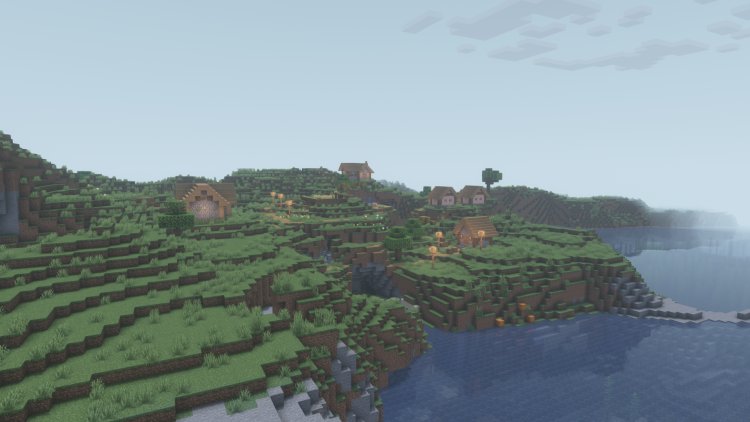
Pastel Shaders brings a unique, vibrant, and artistic visual style to Minecraft 26.1 and 26.1.2. This shader emphasizes bright, saturated colors, playful lighting effects, and a distinct artistic filter that makes your world feel like a stylized adventure game. Pastel is perfect for creative players, builders who want their constructions to pop, and anyone seeking a fresh, non-realistic aesthetic.
Why Pastel Shaders stands out for Minecraft 26.1/26.1.2:
- Vibrant color saturation – Makes every block, texture, and landscape visually striking
- Playful lighting effects – Whimsical shadows and light interactions that feel artistic, not realistic
- Performance-friendly – Lightweight shader that runs on a wide range of systems
- Unique visual identity – Completely different from traditional realistic shaders, giving your world a signature look
- Perfect for creative building – Bright, colorful lighting makes builds stand out and look more impressive
- Excellent for content creation – Creates visually distinctive footage that stands apart from other Minecraft videos
Pastel Shaders is ideal for Minecraft 26.1 and 26.1.2 players who want something different from the standard realistic shader aesthetic. If you're building fantasy worlds, colorful bases, or eye-catching structures, Pastel amplifies the visual impact. The shader works beautifully with vibrant texture packs and custom colors, letting your creativity shine through.
Content creators love Pastel Shaders because it instantly gives footage a distinctive, recognizable visual style. Your subscribers will know your videos by the unique shader aesthetic, and every screenshot becomes a work of art. The bright, optimistic color grading makes even simple builds look professional and engaging.
Download: https://www.curseforge.com/minecraft/shaders/pastel-shaders
Shader Comparison: Kappa vs Mellow vs Pastel For Minecraft 26.1/26.1.2
| Feature | Kappa Shader | Mellow | Pastel Shaders |
|---|---|---|---|
| Realism Level | Highly realistic | Balanced realism | Artistic/stylized |
| Color Tone | Natural/true-to-life | Warm/golden hour | Vibrant/saturated |
| Performance | Moderate | Excellent | Excellent |
| Best for | Technical screenshots | Content creation | Creative building |
| Water quality | Exceptional | Beautiful | Colorful |
| Shadow detail | Maximum | Balanced | Artistic |
| Customization | Extensive | Moderate | Moderate |
| Learning curve | Moderate | Easy | Easy |
How To Install Shaders For Minecraft 26.1/26.1.2
Installing shaders for Minecraft 26.1 and 26.1.2 requires Optifine, a popular optimization mod. Here's the complete installation guide:
Step 1: Install Optifine
- Download Optifine for Minecraft 26.1/26.1.2 from the official Optifine website
- Run the installer and select "Install"
- Launch Minecraft 26.1/26.1.2 with the Optifine profile
Step 2: Download Your Shader
- Visit Curseforge and download your chosen shader (Kappa, Mellow, or Pastel)
- Save the .zip file—do NOT extract it
Step 3: Install The Shader
- Open Minecraft 26.1/26.1.2 with Optifine installed
- Navigate to Options > Shaders
- Click "Shaders Folder" to open the shader directory
- Drag and drop your shader .zip file into the folder
- Close and reopen the Shaders menu
- Select your shader and click "Apply"
Step 4: Optimize Settings
- Open Shader Options (in the Shaders menu)
- Adjust shadow quality, render distance, and effects to match your system's performance
- Close options and enjoy enhanced graphics
Best Shader Settings For Minecraft 26.1/26.1.2 Performance
For high-end gaming PCs:
- Maximum shadow quality (512x or higher)
- Full volumetric lighting
- Maximum render distance (32+ chunks)
- All visual effects enabled
For mid-range systems:
- Medium shadow quality (256x)
- Balanced volumetric lighting
- 16-24 chunk render distance
- Selective visual effects (disable expensive features)
For low-end devices:
- Minimal shadow quality (128x)
- Reduced volumetric lighting
- 8-12 chunk render distance
- Basic shader with performance mode enabled
All three shaders (Kappa, Mellow, Pastel) include performance optimization settings, so you can adjust quality to match your hardware without sacrificing visual improvement.
Shader Packs vs Texture Packs: What's The Difference?
Shaders change how Minecraft renders light, shadows, water, and particles. They affect the entire visual engine and create dramatic lighting improvements. Shaders require Optifine.
Texture packs replace block textures, item models, and UI elements with higher-resolution or different-styled versions. They don't require Optifine and work on vanilla Minecraft.
For Minecraft 26.1 and 26.1.2, using a quality shader pack is the single most impactful visual upgrade. You can combine shaders with texture packs for maximum visual enhancement—Kappa, Mellow, and Pastel all work beautifully with popular texture packs.
Which Shader Should You Choose For Minecraft 26.1/26.1.2?
Choose Kappa Shader if:
- You want the most realistic, technically advanced graphics
- You prioritize cinematic quality and screenshot perfection
- You have a mid-range to high-end system
- You want extensive customization options
Choose Mellow if:
- You want beautiful, warm, and inviting aesthetics
- You're creating content or streaming Minecraft
- You want excellent performance on any system
- You prefer balanced realism with artistic flair
Choose Pastel Shaders if:
- You want a unique, colorful visual style
- You're building creative or fantasy worlds
- You want your content to stand out visually
- You prefer artistic over realistic rendering
Final Verdict: Top 3 Shaders For Minecraft 26.1/26.1.2
For Minecraft 26.1 and 26.1.2, these three shaders represent the absolute best in graphics enhancement. Kappa Shader by RRe36 delivers unmatched technical quality and cinematic realism. Mellow provides gorgeous, performance-friendly aesthetics perfect for content creation. Pastel Shaders offers a vibrant, artistic alternative that makes creative builds shine.
Download one (or all three) of these shader packs today and experience Minecraft 26.1/26.1.2 like never before. Whether you're exploring caves, building structures, or creating content, these shaders will transform your world into a visually stunning masterpiece.
Your next gaming adventure awaits—enhanced, optimized, and absolutely beautiful.