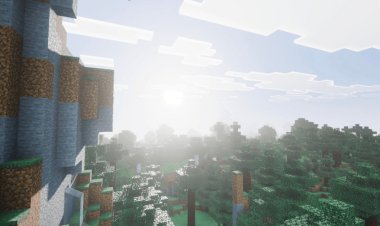
How to Download Flashback Mod for Minecraft (Step-by-Step Guide)
 mcpecentraladmin

If you want to record cinematic replays and capture high-quality footage in Minecraft Java Edition, the Flashback Mod is one of the best tools available. This guide will show you how to download Flashback Mod for Minecraft, install the required dependencies, and get everything running properly.
This tutorial is optimized for Minecraft Java Edition players and covers everything you need, including installing Fabric Loader, Fabric API, and Java.
By following the steps below, you’ll be able to install Flashback Mod quickly and start using replay features in Minecraft.
What Is the Flashback Mod for Minecraft?
The Flashback Mod is a powerful Minecraft modification that allows players to record gameplay and replay moments from different camera angles. It’s widely used by content creators and players who want cinematic shots, replays, and better gameplay recording tools.
Some key features include:
-
Replay gameplay moments
-
Capture cinematic camera angles
-
Create high-quality Minecraft content
-
Review gameplay for building or PvP improvements
Before installing the mod, you’ll need to download a few required files.
Step 1: Download the Flashback Mod
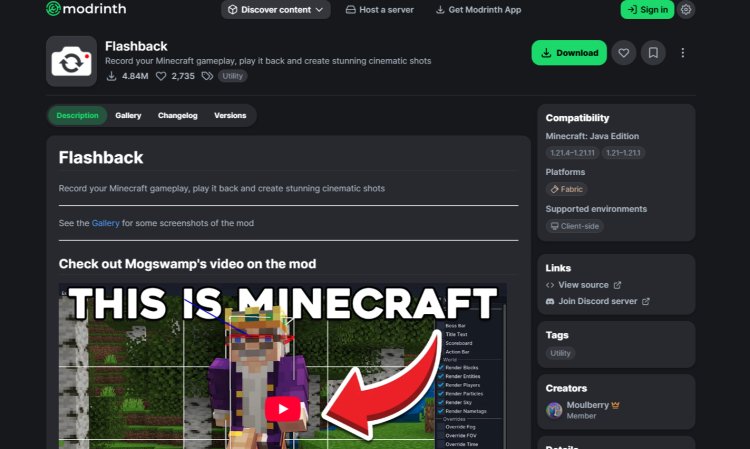
First, download the Flashback Mod for your specific Minecraft version.
Download it here:
https://modrinth.com/mod/flashback
Important tips:
-
Always download the version that matches your Minecraft version
-
Using the wrong version can cause the mod not to load or crash the game
Once downloaded, keep the file ready because you’ll add it to your mods folder later.
Step 2: Download Fabric Mod Loader

The Flashback Mod requires Fabric, which is a lightweight mod loader used for many modern Minecraft mods.
Download the Fabric installer here:
https://fabricmc.net/use/installer/
After downloading:
-
Save the Fabric Installer file
-
You will run it later using Java
Fabric is required because it allows Minecraft to load mods like Flashback and Fabric API.
Step 3: Download Fabric API
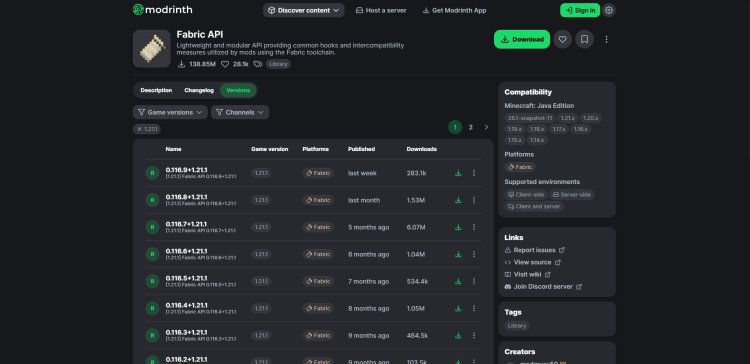
Next, download Fabric API, which many Fabric mods depend on.
Download Fabric API here:
https://modrinth.com/mod/fabric-api
Important:
-
Make sure to download Fabric API for the same Minecraft version you're using
-
Do not mix versions, or the mod may fail to load
You will place this file into the mods folder along with the Flashback Mod.
Step 4: Download Java (If You Don’t Have It)

Java is required for running Minecraft Java Edition and installing mod loaders.
Download Java here:
https://www.oracle.com/java/technologies/downloads/#java21
If you already play Minecraft Java Edition, you likely already have Java installed. If not, install it before continuing.
Step 5: Install Fabric Loader
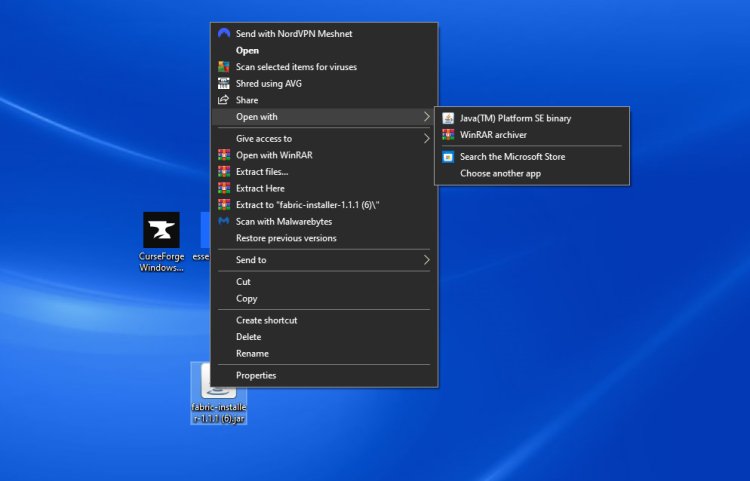
Once Java is installed, you can install Fabric.
-
Right-click the Fabric Installer file
-
Select Open with Java
-
Choose your Minecraft version
-
Click Install Client
This installs the Fabric profile into the Minecraft Launcher.
Step 6: Enable the Fabric Installation in Minecraft Launcher

Now open the Minecraft Launcher.
-
Go to the top menu and click Installations
-
Under versions, make sure Modded is turned on
-
You should see a Fabric profile appear
This is the version you’ll launch to play Minecraft with mods.
Step 7: Add Flashback Mod and Fabric API to the Mods Folder

Now you need to install the mod files.
-
Open the Fabric installation folder
-
Look for the mods folder
-
Open it
-
Drag and drop:
-
The Flashback Mod file
-
The Fabric API file
-
-
Close the folder once both files are inside
These files must stay inside the mods folder for Minecraft to load them.
Step 8: Launch Minecraft with Flashback Mod
Finally, launch the game.
-
Open the Minecraft Launcher
-
Select the Fabric profile
-
Click Play
Once Minecraft loads, the Flashback Mod will be installed and ready to use.
You can now start recording gameplay and creating cinematic replays in Minecraft.
Final Tips for Installing Flashback Mod
To avoid problems when installing Minecraft mods:
-
Always match mod versions with your Minecraft version
-
Use Fabric mods only with Fabric Loader
-
Make sure Fabric API is installed
-
Place all mods in the mods folder
If everything is installed correctly, the Flashback Mod should load automatically when Minecraft starts.
Conclusion
Installing the Flashback Mod for Minecraft Java Edition is simple once you have the correct dependencies. By downloading the mod, installing Fabric Loader, adding Fabric API, and placing the files in the mods folder, you can unlock powerful replay tools for Minecraft.
This mod is especially useful for Minecraft content creators, cinematic builders, and players who want advanced replay features.
Using this guide, you should now know exactly how to download Flashback Mod for Minecraft and install it properly.