Top 3 MCPE Shaders For Minecraft (Vibrant Visuals) - Best Graphics Packs for Bedrock Edition
 mcpecentraladmin
Top 3 MCPE Shaders For Minecraft (Vibrant Visuals) - Best Graphics Packs for Bedrock Edition
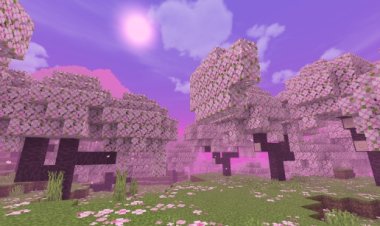
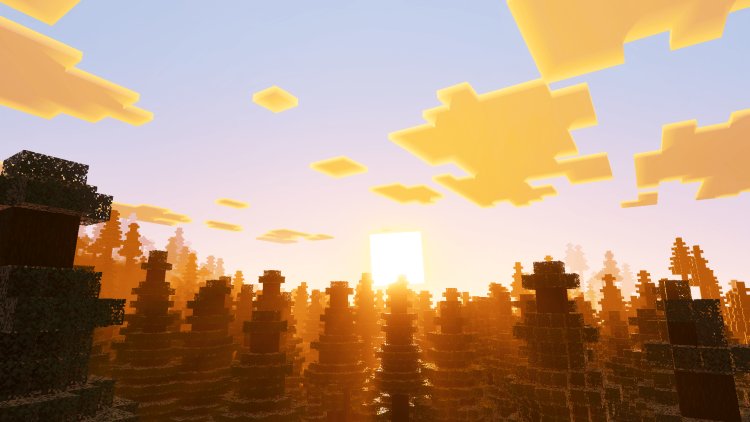
Are you looking for the best MCPE shaders to transform your Minecraft Bedrock Edition gameplay with stunning visuals? Vibrant Visuals shaders are among the most popular graphics enhancement packs available for Minecraft Pocket Edition, offering incredible lighting effects, enhanced colors, and immersive visual improvements that make your world look absolutely breathtaking. In this guide, we'll explore the top 3 MCPE shaders designed for vibrant visuals, perfect for players who want maximum visual quality without sacrificing performance on their devices.
Best MCPE Shaders for Vibrant Visuals: The Ultimate Minecraft Bedrock Graphics Guide
If you're searching for the best shaders for Minecraft Pocket Edition, you've come to the right place. These vibrant visuals shaders deliver stunning graphics enhancements that rival Java Edition quality. Whether you're playing on a low-end or high-end device, these MCPE shader packs will elevate your Minecraft experience with dynamic lighting, enhanced water reflections, and beautiful color grading.
1. Hyper Visuals Pack - Best Overall MCPE Shader for Vibrant Colors
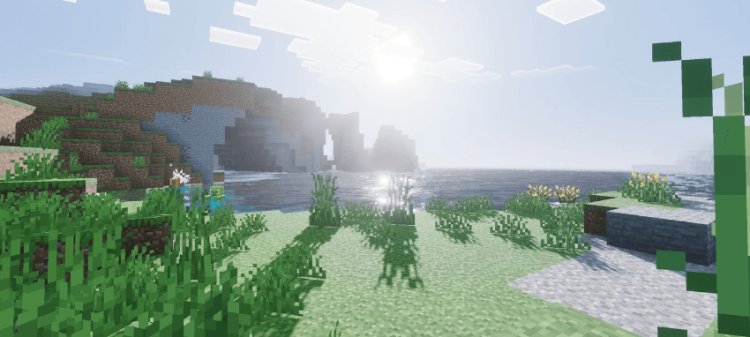
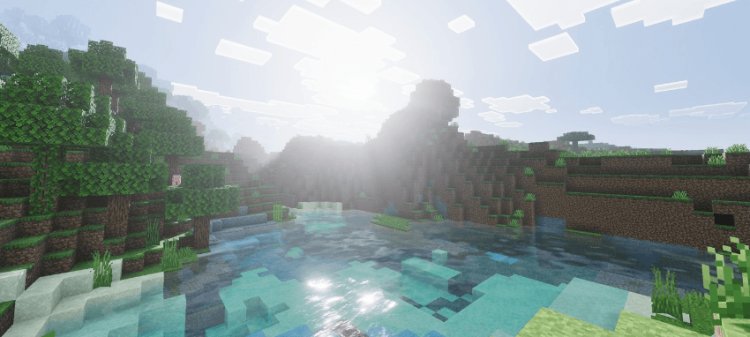
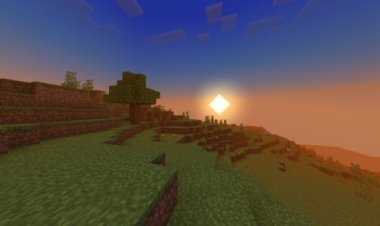
Hyper Visuals Pack is one of the most downloaded MCPE shaders specifically designed for vibrant visuals and enhanced graphics quality. This shader pack brings intense color saturation, improved lighting mechanics, and stunning visual effects that make your Minecraft world feel alive. The Hyper Visuals Pack excels at rendering dynamic lighting, creating gorgeous sunsets, and delivering vibrant water effects that truly stand out.
Key Features of Hyper Visuals Pack:
- Vibrant color enhancement for all biomes
- Dynamic lighting system for realistic shadows
- Enhanced water reflections and transparency effects
- Optimized performance for both low-end and mid-range devices
- Beautiful sky gradients and atmospheric effects
- Improved grass and foliage rendering
The Hyper Visuals Pack is perfect for players who want an immediate visual upgrade without dealing with complex installations. It's one of the most popular vibrant visuals shaders on MCPEDL and works seamlessly with Minecraft Pocket Edition.
Download Hyper Visuals Pack: https://mcpedl.com/hyper-visuals-pack/
2. Higuruma Visual Theme - Premium MCPE Shader for Cinematic Visuals
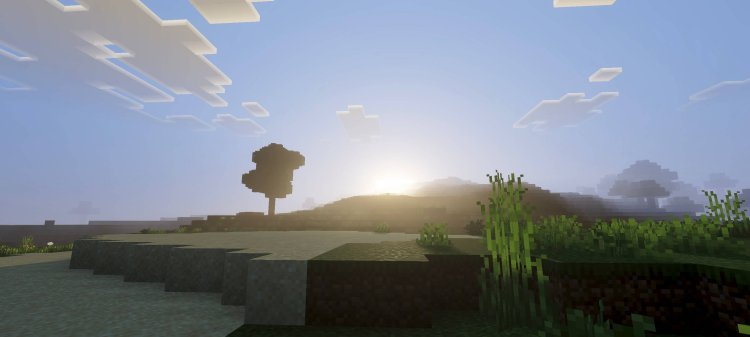
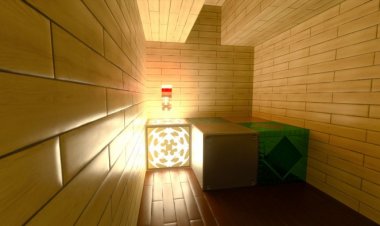
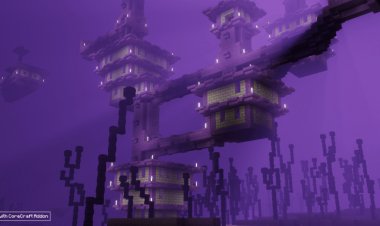
Higuruma Visual Theme is a premium MCPE shader that focuses on creating cinematic, immersive graphics perfect for survival gameplay and exploration. If you want vibrant visuals with a polished, professional look, Higuruma Visual Theme delivers exceptional color grading, enhanced shadows, and beautiful ambient lighting that transforms your Minecraft world into a stunning landscape.
Key Features of Higuruma Visual Theme:
- Cinematic color grading and visual effects
- Enhanced ambient lighting for immersive gameplay
- Vibrant biome-specific visual enhancements
- Improved shadow rendering for realistic depth
- Beautiful cloud and sky rendering
- Optimized for smooth gameplay on Bedrock Edition
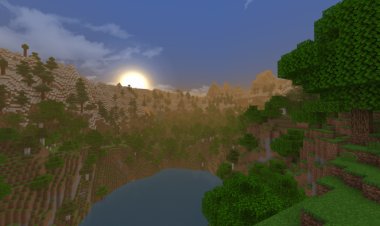
Higuruma Visual Theme stands out among MCPE shaders because it balances visual quality with excellent performance optimization. Players love this shader for its ability to make Minecraft Bedrock look incredibly polished while maintaining smooth framerates. The vibrant visuals in Higuruma make exploring caves, forests, and mountains a truly memorable experience.
Download Higuruma Visual Theme: https://mcpedl.com/higuruma-visual-theme/
3. Velmora Visuals - Best Budget MCPE Shader for Vibrant Graphics
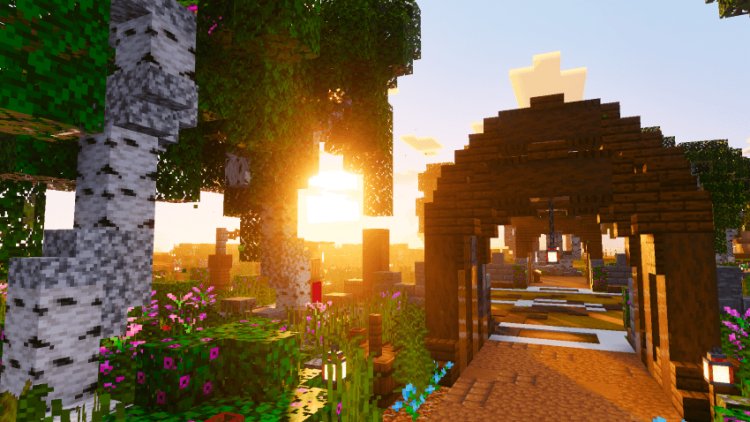
Velmora Visuals is an excellent choice if you're looking for stunning vibrant visuals on a budget-friendly shader. Despite being lightweight and optimized for low-end devices, Velmora Visuals delivers impressive visual enhancements including vibrant colors, enhanced lighting, and beautiful atmospheric effects that won't drain your device's resources.
Key Features of Velmora Visuals:
- Lightweight shader optimized for low-end devices
- Vibrant color saturation and visual enhancement
- Smooth lighting transitions and dynamic shadows
- Beautiful water and glass reflections
- Enhanced foliage rendering
- Minimal performance impact on mobile devices
Velmora Visuals is perfect for Minecraft Bedrock players with older phones or tablets who still want to experience vibrant, enhanced graphics. This shader pack proves that you don't need a high-end device to enjoy stunning visuals. It's one of the most efficient MCPE shaders available for vibrant visuals.
Download Velmora Visuals: https://mcpedl.com/velmora-visuals/
How to Install MCPE Shaders on Minecraft Bedrock Edition
Installing vibrant visuals shaders on Minecraft Pocket Edition is simple and straightforward. Follow these steps to get your favorite MCPE shader pack working:
- Download your chosen shader pack from the links above
- Open Minecraft Bedrock Edition
- Go to Settings → Global Resources
- Click "Add Pack" and select your downloaded shader file
- Apply the shader to a world
- Load your world and enjoy stunning vibrant visuals
Why Choose Vibrant Visuals Shaders for Minecraft Bedrock?
Vibrant visuals shaders are the best choice for Minecraft Pocket Edition players who want to significantly enhance their graphics without switching to Java Edition. MCPE shaders like Hyper Visuals Pack, Higuruma Visual Theme, and Velmora Visuals offer:
- Stunning Color Enhancement: Experience more saturated, vivid colors that make your world feel alive
- Realistic Lighting: Dynamic lighting systems create realistic shadows and beautiful light effects
- Better Performance: Most modern MCPE shaders are heavily optimized for smooth gameplay
- Easy Installation: Bedrock shaders are incredibly easy to install compared to Java Edition
- Biome-Specific Effects: Each biome gets unique visual enhancements that make exploration exciting
MCPE Shaders vs Java Edition Shaders: Which Should You Choose?
While Java Edition shaders offer more advanced features, MCPE shaders have made incredible progress. If you play Minecraft Bedrock Edition, vibrant visuals shaders like the ones listed above provide excellent visual improvements. These shaders work on mobile devices, tablets, consoles, and Windows 10/11, making them accessible to millions of players.
Best MCPE Shader Settings for Maximum Vibrant Visuals
Once you've installed your chosen shader, optimize these settings for the best vibrant visuals experience:
- Brightness: Set to medium-high for enhanced color visibility
- Saturation: Increase for more vibrant colors
- Shadow Distance: Adjust based on your device's performance
- Water Quality: Set to high for beautiful reflections
- Lighting Intensity: Increase for more dynamic shadows
Common Questions About MCPE Shaders
Q: Do MCPE shaders work on all devices? A: Most modern MCPE shaders are optimized for various devices, though high-end shaders work best on newer phones and tablets.
Q: Will shaders reduce my FPS? A: Quality shaders like Hyper Visuals Pack and Velmora Visuals are optimized to maintain good framerates while delivering stunning visuals.
Q: Can I use multiple shaders at once? A: No, you can only apply one shader pack per world in Minecraft Bedrock Edition.
Q: Are these shaders free? A: Yes, all three shaders listed above are completely free to download from MCPEDL.
Conclusion: Transform Your Minecraft with the Best MCPE Shaders
If you want to experience Minecraft Bedrock Edition with stunning vibrant visuals, these three MCPE shaders are your best options. Whether you choose the overall excellence of Hyper Visuals Pack, the cinematic beauty of Higuruma Visual Theme, or the budget-friendly optimization of Velmora Visuals, you'll enjoy a significantly enhanced visual experience that rivals Java Edition quality.
Download your favorite vibrant visuals shader today and transform your Minecraft world into a breathtaking landscape. Each of these MCPE shaders is thoroughly tested, widely praised by the community, and ready to elevate your Bedrock Edition gameplay to the next level.