How To Download Simple Voice Chat In Minecraft 2026! (UPDATED TUTORIAL)
 mcpecentraladmin
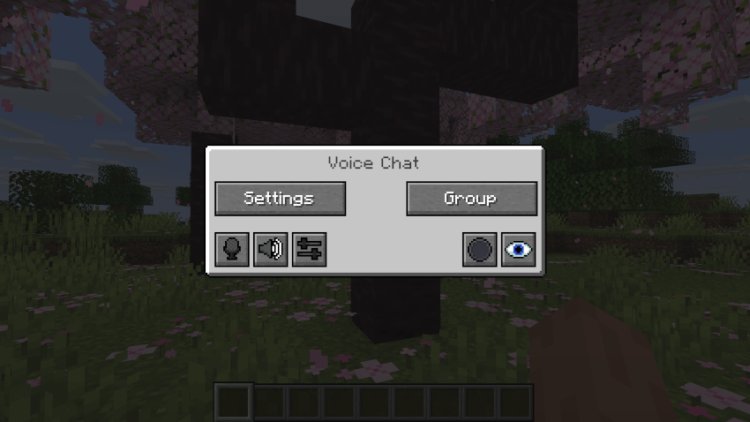
Follow these steps carefully and make sure you're using the same Minecraft version for every part of the install.
Step 1 — Download Fabric Installer (Mod Loader)
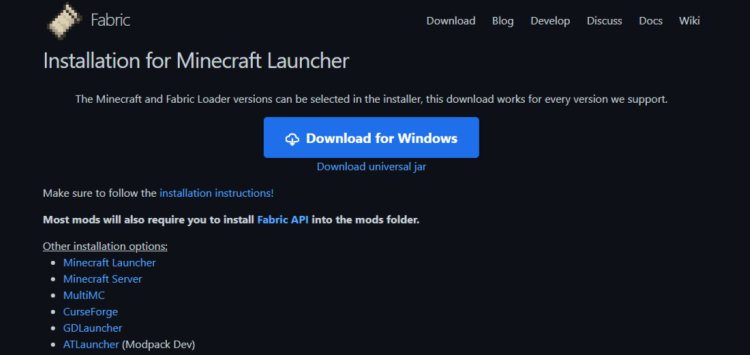
To use Simple Voice Chat, we need a Minecraft Mod Loader. For 2026, the best option is Fabric because Simple Voice Chat is optimized for Fabric mods.
Download Fabric Installer here:
Fabric Installer: https://fabricmc.net/
Step 2 — Download Simple Voice Chat Mod
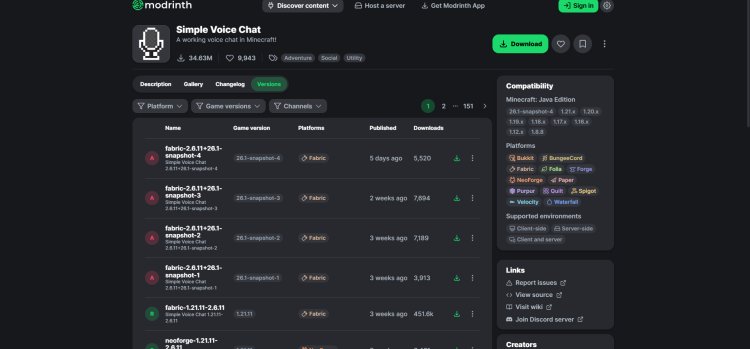
Next, download the mod itself for the correct version of Minecraft and make sure it's labeled Fabric.
Simple Voice Chat Mod: https://www.curseforge.com/minecraft/mc-mods/simple-voice-chat
Important: Make sure:
-
Version matches your Minecraft version (example: 1.21, 1.22, etc)
-
Fabric loader is selected
-
Client and server versions match if hosting SMP
Step 3 — Download Java 21 (Required to Run Mods)
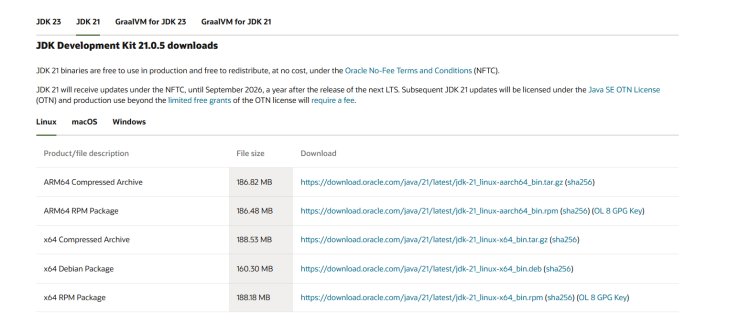
Fabric and modded Minecraft require Java to run. In 2026, the recommended runtime is Java 21 for stability and mod compatibility.
Java Download: https://www.oracle.com/java/technologies/downloads/
Choose Java 21 for your operating system (Windows, MacOS, Linux).
Step 4 — Install Fabric With Java
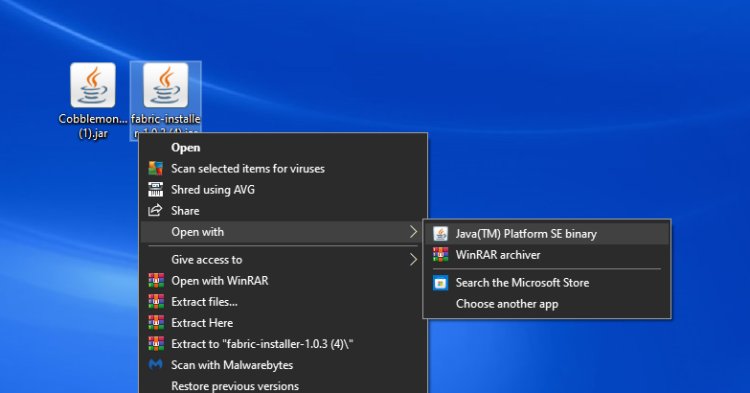

Right-click Fabric installer and open with Java, then select your Minecraft version.
Make sure:
-
Same Minecraft version as Simple Voice Chat
-
Loader version correct
-
Client installation selected
Click Install.
Step 5 — Open Minecraft Launcher (Fabric Installation)
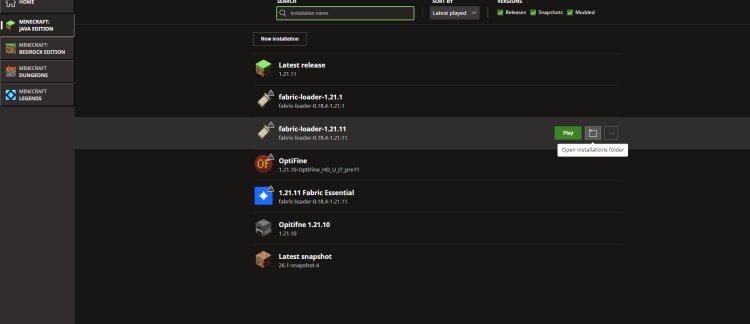
Open the official Minecraft Launcher and look for the Fabric installation profile.
Then click:
Installations → Fabric → Folder Icon → Mods Folder
Step 6 — Add Simple Voice Chat Mod to Mods Folder
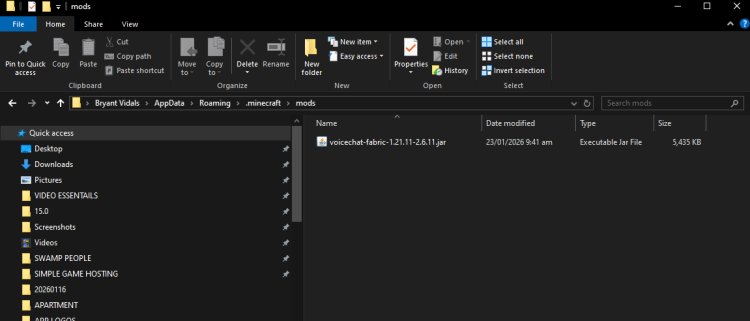
Open the mods folder and drag and drop:
simplevoicechat-x.x.x.jar
into the mods directory.
This officially installs Simple Voice Chat into Fabric.
Step 7 — Launch Minecraft and Setup Voice Chat
Launch the Fabric profile and enter Minecraft.
Once loaded:
-
Click the Voice Chat Settings
-
Configure input/output
-
Enable proximity chat
-
Join or create a server or SMP world
Troubleshooting for 2026
If Simple Voice Chat doesn’t work, check:
-
Wrong Minecraft version
-
Wrong mod loader (Fabric vs Forge)
-
Missing Java runtime
-
Server not running mod
-
Firewall or mic permissions blocked
Is Simple Voice Chat Safe in 2026?
Yes. The mod is widely used in Minecraft SMP communities and considered safe. It’s trusted for:
-
Multiplayer survival
-
Modded servers
-
PvP factions
-
Roleplay servers
-
Content creators
Final Thoughts — Best Voice Chat Mod for Minecraft 2026
If you want to make Minecraft multiplayer more immersive, Simple Voice Chat is the best option for proximity voice chat in 2026. Works great for:
-
Friends SMP servers
-
Modded survival worlds
-
YouTubers
-
Streamers
-
Roleplay communities
-
Tutorials and content creators