How To Download Replay Mod for Minecraft 2026
 mcpecentraladmin
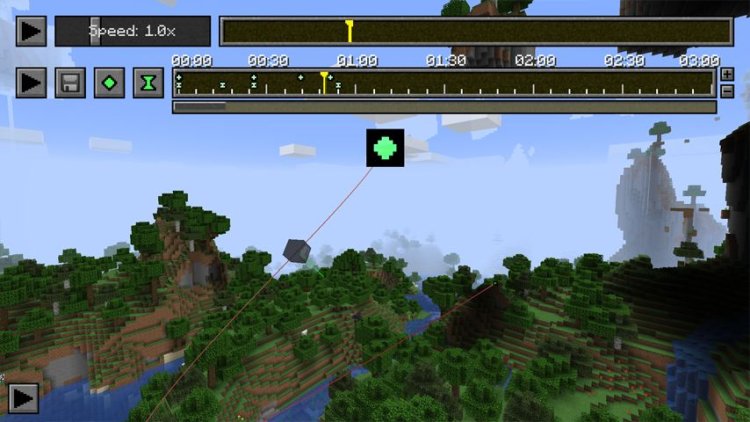
If you want to download Replay Mod for Minecraft in 2026 to record cinematic Minecraft footage, create timelapses, or make professional Minecraft videos, this guide will show you how to install it properly for Minecraft Java Edition using Fabric, Java 21, and the correct mod file. This tutorial also works for Minecraft creators, PvP YouTubers, cinematic editors, and anyone who wants to record Minecraft gameplay with smooth camera controls.
Replay Mod is one of the most popular Minecraft cinematic mods for content creation, allowing advanced camera paths, third-person controls, and professional editing inside Minecraft. With the rise of Minecraft media and YouTube content in 2026, many players are searching for how to install Replay Mod the right way—so here is the best & simplest Replay Mod installation guide for Minecraft 2026.
What You Need Before Installing Replay Mod
To install Replay Mod, you will need:
✔ Minecraft Java Edition
✔ Fabric Mod Loader
✔ Java 21 (or newer)
✔ Replay Mod Fabric build
✔ Mods folder access
Step-by-Step: How To Download & Install Replay Mod for Minecraft 2026
Step 1: Download Fabric Mod Loader
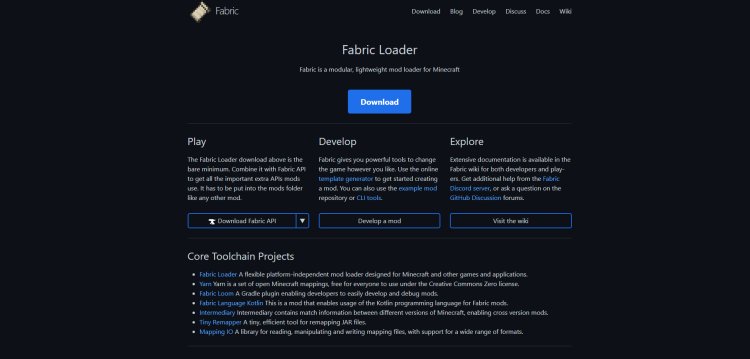
We need Fabric to run Replay Mod properly.
Download Fabric here:
https://fabricmc.net/
Make sure to match the Minecraft version you plan to use Replay Mod on.
Step 2: Download Replay Mod (Fabric Version)
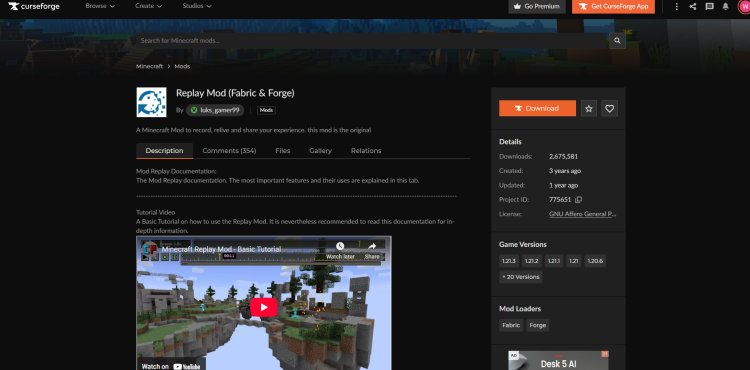
Download the Replay Mod file that matches both Fabric AND your Minecraft version.
Replay Mod Download:
https://www.curseforge.com/minecraft/mc-mods/replay-mod-fabric-and-forge/files/4797104
If you use the wrong version, Minecraft will crash, so double check compatibility.
Step 3: Download Java 21 (If Needed)

Minecraft mod loaders require Java. In 2026, Java 21 is the recommended version for full compatibility and modding.
Download Java Here:
https://www.oracle.com/java/technologies/downloads/#java21
After installing Java, restart your PC if needed.
Step 4: Open Fabric Installer With Java


Right click → “Open With Java”
Select your Minecraft version and install Fabric.
This will create a Fabric installation inside your Minecraft Launcher.
Step 5: Open Minecraft Launcher & Locate Fabric Installation
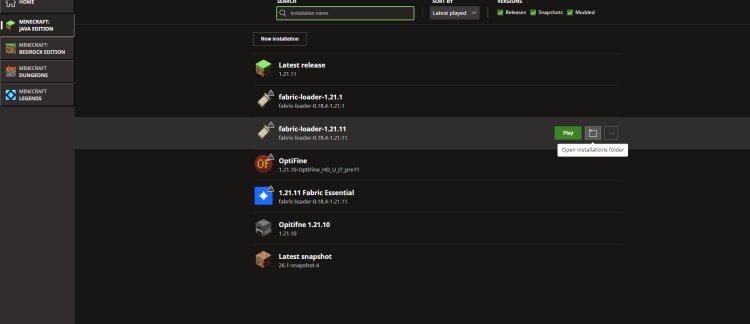
Open the official launcher.
Find the Fabric profile.
Click the folder icon to open the installation directory.
Once inside, find the folder called:
mods
If the folder does not exist, create one manually.
Step 6: Drag & Drop Replay Mod into Mods Folder
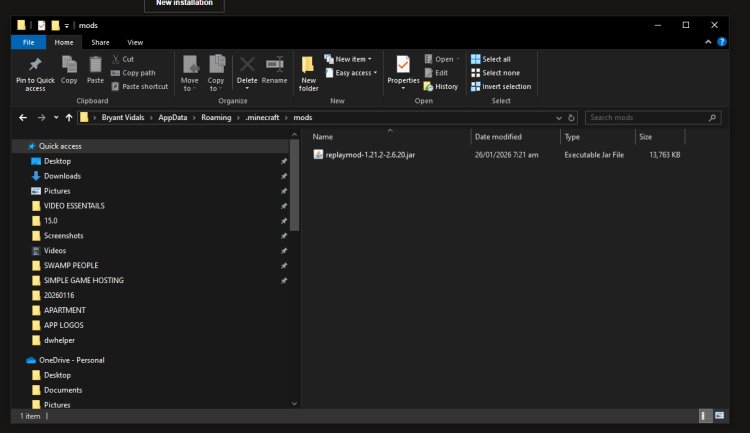
Simply place the Replay Mod file you downloaded into the mods folder.
Your directory should look like:
Step 7: Launch Minecraft & Start Using Replay Mod
Launch the Fabric profile and load Minecraft.
If installed correctly, you will see the Replay Mod active and ready to use for:
✔ Timelapses
✔ Cinematics
✔ PvP edits
✔ SMP recordings
✔ Build progress videos
✔ YouTube tutorials
Why Use Replay Mod in 2026?
Replay Mod has become essential in 2026 for:
Minecraft YouTube videos
TikTok & Shorts content
SMP highlights
PvP montages
Build showcases
Survival storytelling
Smooth camera cinematics
With the growth of Minecraft content and replay editing, creators need smoother motion, better camera tools, and better mod compatibility.