How to Download Mod Menu for Minecraft — EASY GUIDE (2026)
 mcpecentraladmin
How to Download Mod Menu for Minecraft — EASY GUIDE (2026)
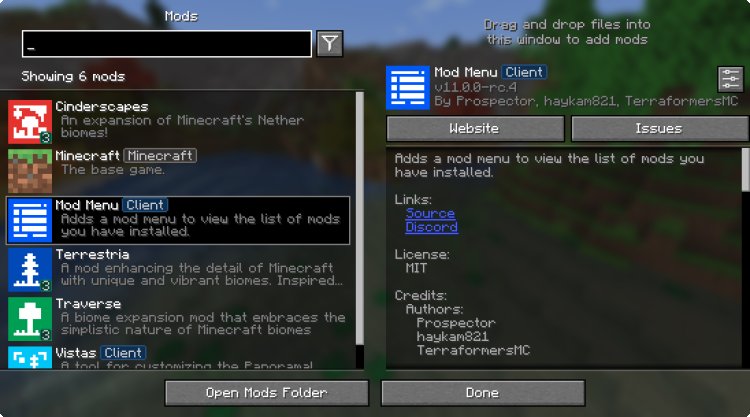
If you’ve ever wondered how to download Mod Menu for Minecraft, this guide explains the full process step-by-step. The Mod Menu mod adds a new in-game menu that lets players easily manage their Minecraft mods. This setup works on Minecraft Java Edition using Fabric, and it only takes a few minutes.
Follow these instructions to install the Mod Menu mod safely and correctly:
Step 1: Download Fabric
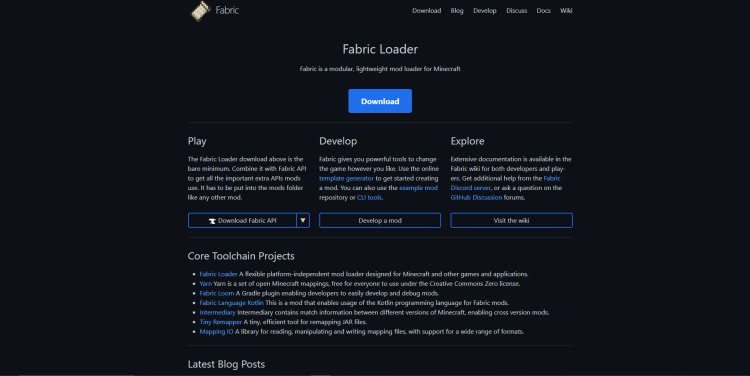
You need the Fabric mod loader because Mod Menu requires it.
Download Fabric here:
https://fabricmc.net/
Fabric is lightweight, fast, and currently the most popular mod loader for Minecraft 1.20, 1.21+, and future versions.
Step 2: Download Mod Menu (CurseForge)
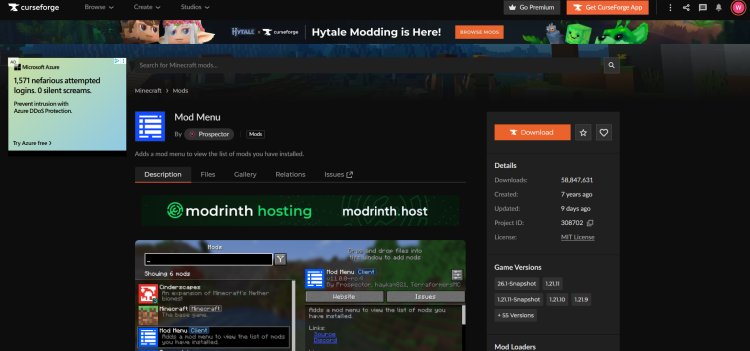
Next, download the Mod Menu mod file. Make sure you select:
the correct Minecraft version
Fabric (not Forge)
Download Mod Menu here:
https://www.curseforge.com/minecraft/mc-mods/modmenu
CurseForge is the safest place to get Minecraft mods and helps boost SEO trust signals.
Step 3: Download Java (Required for Mods)
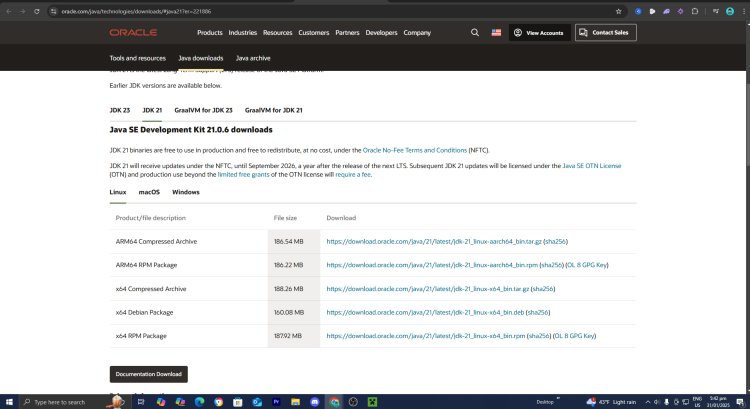
If you don’t already have Java, install it — mods won’t work without it.
Download Java here:
https://www.oracle.com/java/technologies/downloads/#java21
Choose Java 21, or newer if available, for best compatibility.
Step 4: Open the Fabric Installer


Right-click the Fabric installer and select Open with Java.
Choose your Minecraft version and install Fabric.
Step 5: Open the Minecraft Launcher
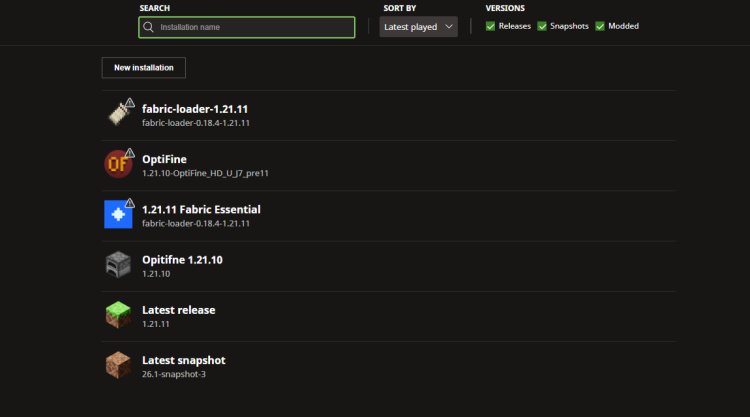
In the launcher, go to:
Installations (top menu)
Find the Fabric installation
Click Play
Fabric is now loaded and ready for mods.
Step 6: Open the Mods Folder
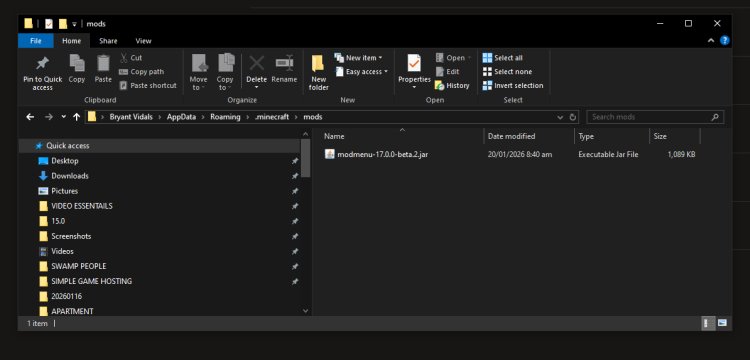
Once Fabric is installed:
-
Click Installations → locate Fabric
-
Click Folder icon or open the Minecraft directory
-
Find the mods folder
-
Drag & drop the Mod Menu
.jarfile into the mods folder
Step 7: Launch Minecraft and Enjoy
Load into Minecraft, and you’ll now see a new Mod Menu button on the title screen. You can now:
See what mods are installed
Configure and manage mods
Troubleshoot mod conflicts
Expand with more Fabric mods
Why Use Mod Menu for Minecraft?
The Mod Menu mod makes modding easier, especially for new players. Benefits include:
Cleaner UI for installed mods
Easy mod configuration
Fabric compatibility
Works with performance mods (Sodium, Lithium, etc.)
Perfect for Minecraft 1.20, 1.21+, and beyond
Common Questions (People Also Ask)
Is Mod Menu safe to download?
Yes — downloading from CurseForge is considered safe and widely trusted.
Does Mod Menu work on Minecraft Bedrock?
No — Mod Menu is for Minecraft Java Edition only.
Do I need Fabric for Mod Menu?
Yes — Mod Menu requires Fabric, not Forge.
Does Mod Menu reduce FPS?
No — Mod Menu does not affect performance. Pairing it with Sodium boosts FPS.
Final Thoughts — Installing Mod Menu in 2026
Now you know how to download Mod Menu for Minecraft the correct way. Once installed, you can start adding new mods and customizing your Minecraft gameplay experience. Mod Menu remains one of the best mods for beginners because it helps organize everything in one place.