How To Get Fullbright In Minecraft 2026 (Java Edition Guide)
 mcpecentraladmin
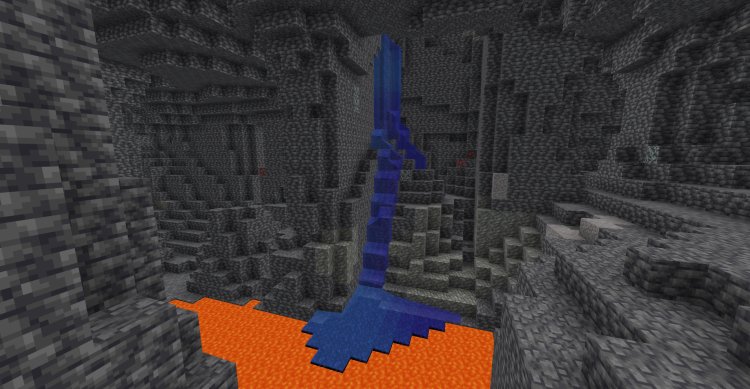
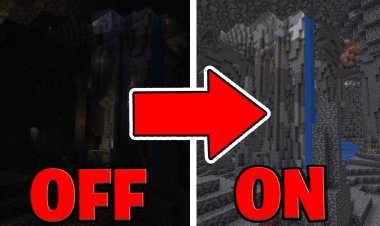
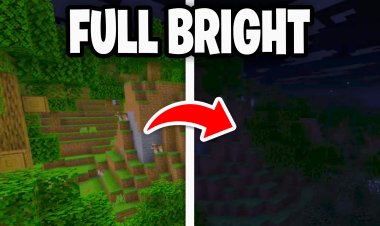
If you want Fullbright in Minecraft 2026, this step-by-step tutorial will show you exactly how to download and install a Fullbright texture pack for Minecraft Java Edition. With Fullbright enabled, you can see clearly in caves, at night, and underwater — without torches, shaders, or gamma edits.
This guide works for Minecraft 1.20+, 1.21, and newer versions in 2026, as long as you download the correct version of the resource pack.
What Is Fullbright in Minecraft?
Fullbright is a resource pack that removes darkness from the game by maximizing light levels. Instead of placing torches everywhere, you can:
-
See clearly in caves
-
Explore mineshafts without lighting
-
Navigate at night easily
-
PvP without dark visibility issues
-
Mine faster without stopping
Fullbright is extremely popular among survival players, speedrunners, and PvP players in Minecraft Java Edition.
Step 1: Download the Fullbright Texture Pack (2026 Version)
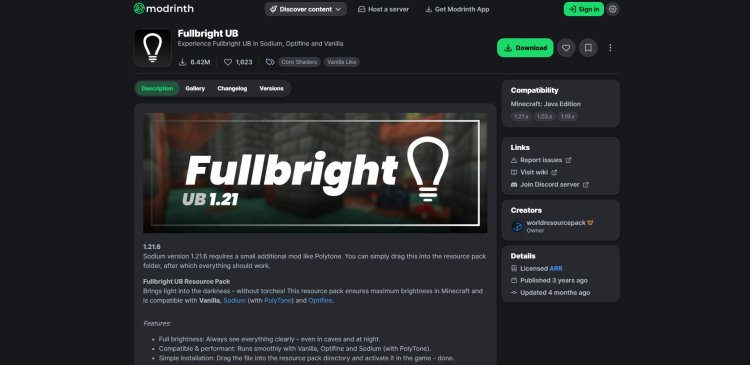
To get started, download the official Fullbright resource pack here:
Download Link:
https://modrinth.com/resourcepack/fullbright-ub
Important:
-
Make sure you download the version that matches your Minecraft version (1.20, 1.21, etc.)
-
Always download from trusted sources like Modrinth to avoid corrupted files.
Once downloaded, do NOT extract the ZIP file. Leave it as a .zip.
Step 2: Open the Minecraft Launcher
Next:
-
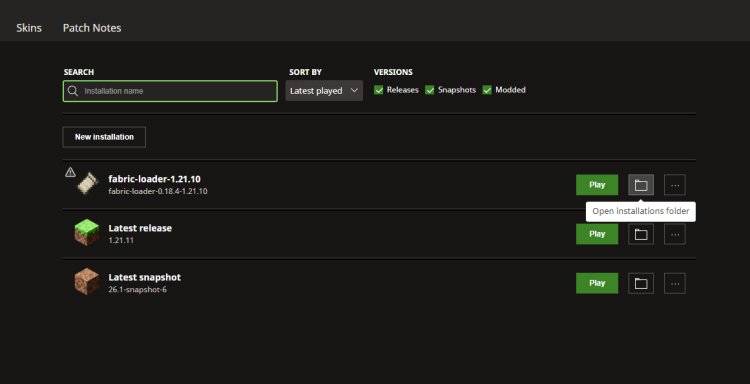
Open the Minecraft Launcher
-
Go to the Installations tab
-
Locate the version you play on (for example, 1.21.4)
-
Click the folder icon to open the installation directory
This will open your Minecraft game folder.
Step 3: Locate the Resourcepacks Folder
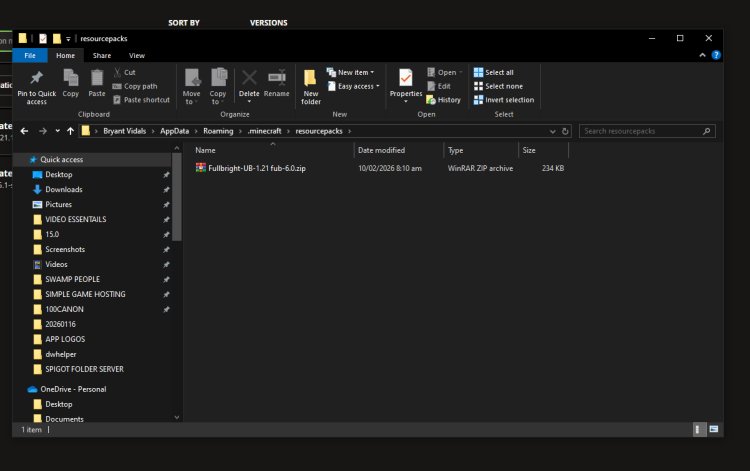
Inside the Minecraft directory:
-
Find the folder named resourcepacks
-
Open it
-
Drag and drop the downloaded Fullbright .zip file into this folder
Do NOT unzip it. Minecraft reads it as a zip file.
Your file path should look something like:
.minecraft > resourcepacks > fullbright-ub.zip
Step 4: Enable Fullbright in Minecraft
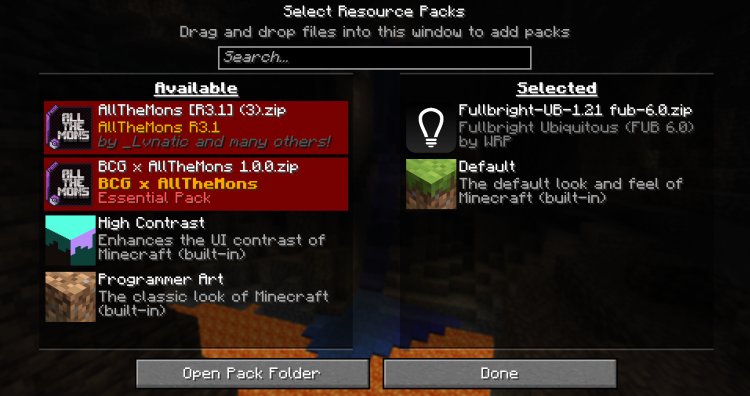
Now:
-
Close the folder
-
Launch Minecraft
-
Go to Options
-
Click Resource Packs
-
Move the Fullbright pack from “Available” to “Selected”
-
Click Done
Minecraft will reload resources.
That’s it — you now have Fullbright enabled in Minecraft 2026.
Does Fullbright Work on Servers?
Yes — Fullbright is a client-side resource pack, meaning:
-
It works in singleplayer
-
It works on multiplayer servers
-
It does NOT require server installation
-
It does NOT require Forge or Fabric
Most servers allow Fullbright because it does not modify gameplay mechanics — it only changes lighting visuals.
Always check server rules if you’re unsure.
Why Use Fullbright Instead of Gamma Settings?
In older Minecraft versions, players changed gamma values in the options.txt file. However:
-
That method is inconsistent
-
It can reset after updates
-
It may not work properly in 2026 versions
Fullbright texture packs are:
-
Easier to install
-
More stable
-
Version compatible
-
Cleaner visually