How To Install World Edit For Minecraft 2026 (Step-By-Step Guide)
 mcpecentraladmin
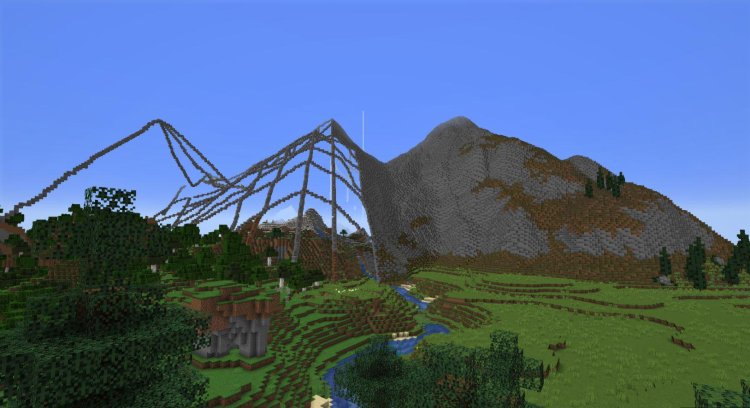
How To Install World Edit For Minecraft 2026 (Step-By-Step Guide)
Looking for the fastest and easiest way to install World Edit for Minecraft in 2026? You’re in the right place. In this complete guide, you’ll learn exactly how to download, install, and use World Edit Mod for Minecraft Java Edition using Fabric Mod Loader and Java 21.
This tutorial works for the latest Minecraft versions and is fully updated for 2026.
What Is World Edit in Minecraft?
World Edit is one of the most popular Minecraft building mods ever created. It allows players to:
-
Copy and paste massive builds instantly
-
Replace thousands of blocks at once
-
Generate spheres, cylinders, and custom structures
-
Speed up creative building dramatically
If you’re serious about building in Minecraft Java Edition, World Edit is essential.
Step 1: Download World Edit Mod (Correct Minecraft Version)
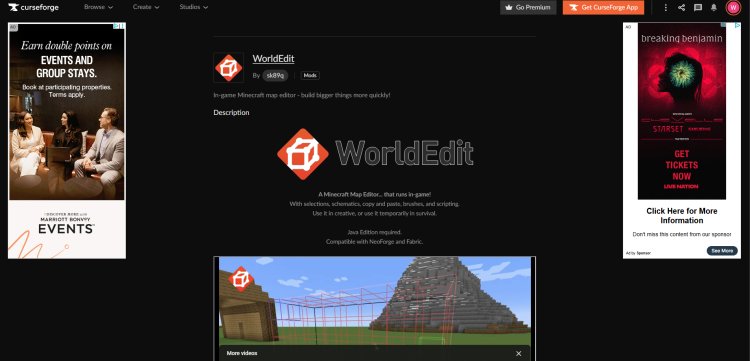
First, you need to download the correct version of World Edit for your Minecraft version.
Download it here:
https://www.curseforge.com/minecraft/mc-mods/worldedit
Make sure you:
-
Select the correct Minecraft version (for example 1.20.4, 1.21, etc.)
-
Download the Fabric version, not Forge (since we are using Fabric)
Save the .jar file somewhere easy to find (like your Downloads folder).
Step 2: Download Fabric Mod Loader
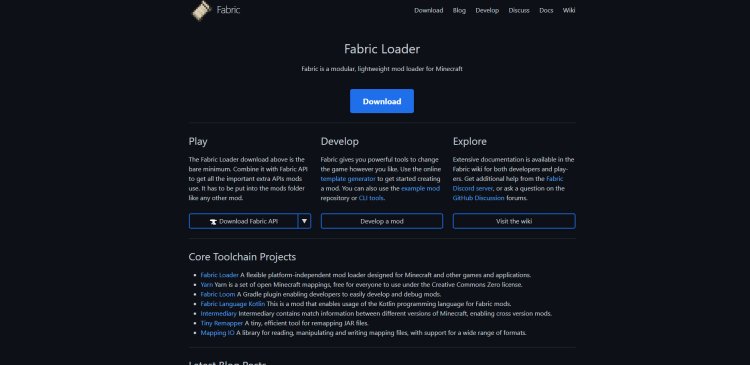
To use World Edit, you need a mod loader. Mods do not work in vanilla Minecraft by default.
Download Fabric here:
https://fabricmc.net/
Fabric is a lightweight and performance-friendly mod loader that allows Minecraft Java Edition to run mods like World Edit.
Click Download Installer and save it.
Step 3: Download Java 21 (Required)

If you don’t already have Java installed, download Java 21 here:
https://www.oracle.com/java/technologies/downloads/#java21
Why Is Java Needed?
Minecraft Java Edition runs on Java. Mods like World Edit also require Java to function. Additionally:
-
Fabric installer requires Java to open
-
Minecraft itself runs on Java
-
Without Java installed, the installer will not launch
Download and install Java 21 (64-bit) for your operating system.
Step 4: Install Fabric Using Java
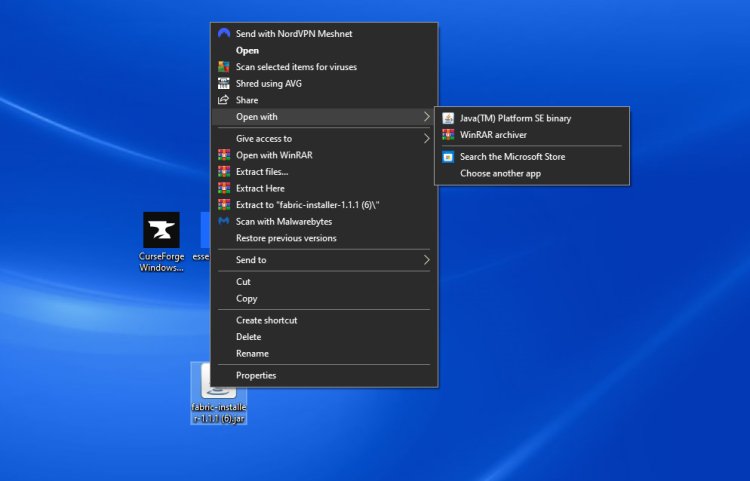
Now that Java is installed:
-
Locate the Fabric Installer
.jarfile you downloaded. -
Right-click it.
-
Select Open with Java.
-
Choose your Minecraft version.
-
Click Install.
Make sure:
-
The correct Minecraft version is selected
-
The game directory is correct (default is fine)
Once installed, Fabric will create a new Minecraft profile.
Step 5: Open Minecraft Launcher
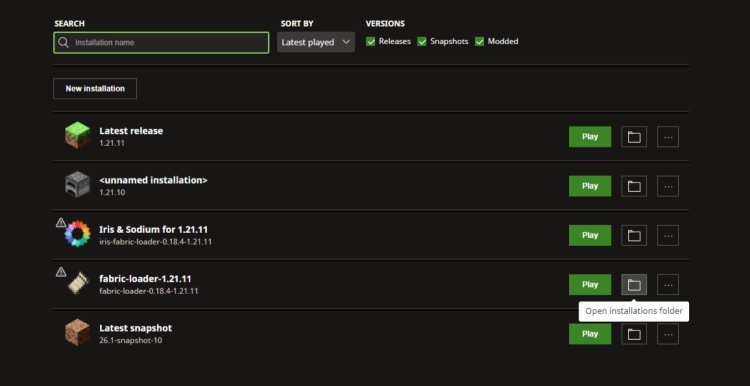
Open the Minecraft Launcher.
In the bottom-left (or installation list), look for the Fabric Loader profile.
Select it.
If you don’t see it:
-
Click Installations
-
Ensure Fabric profile is enabled
Step 6: Install World Edit Into The Mods Folder
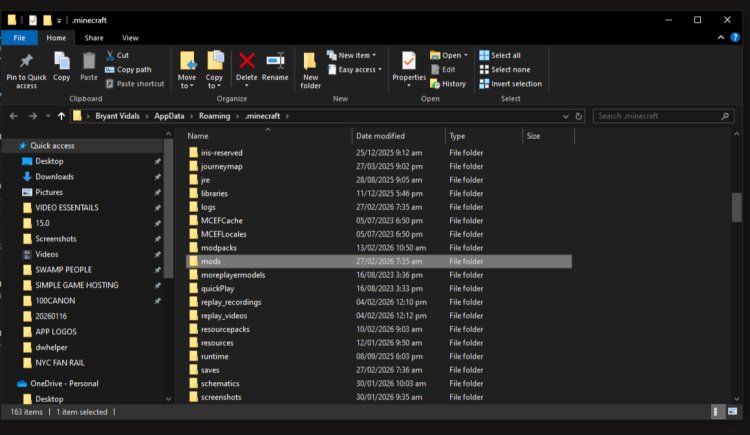
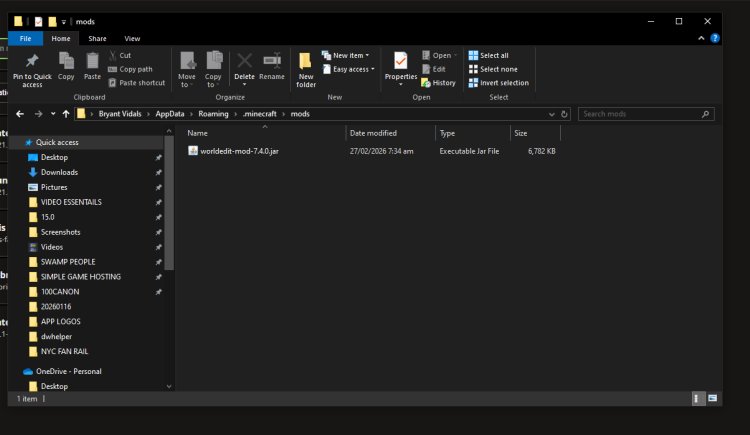
Now we add World Edit to Minecraft.
-
In Minecraft Launcher, go to the Fabric installation.
-
Click the folder icon to open the game directory.
-
Look for the folder named:
If you do not see a mods folder:
-
Create one manually
-
Name it exactly:
mods
-
Open the mods folder.
-
Drag and drop the World Edit .jar file into this folder.
-
Close the folder.
That’s it — World Edit is now installed.
Step 7: Launch Minecraft With Fabric
Now simply:
-
Select the Fabric profile.
-
Click Play.
-
Enter a world.
If installed correctly, you’ll see World Edit loaded in the mods list.
You can test it by typing:
You should receive the World Edit selection tool.
Common Issues & Fixes (2026)
World Edit Not Showing?
-
Make sure you're using Fabric version, not Forge.
-
Ensure the mod matches your Minecraft version.
-
Confirm the mod is inside the correct
modsfolder.
Fabric Installer Won’t Open?
-
Install Java 21.
-
Right-click → Open with Java.
Minecraft Crashes?
-
Version mismatch between Fabric and World Edit.
-
Remove outdated mods.
Final Thoughts
Installing World Edit for Minecraft 2026 is simple when you follow the correct steps:
-
Download World Edit
-
Install Fabric
-
Install Java 21
-
Add the mod to your mods folder
-
Launch Minecraft with Fabric
World Edit is one of the best Minecraft building mods available and dramatically improves building speed and efficiency.
If you're creating large builds, server spawns, SMP maps, or mega bases — this mod is a must-have in 2026.